

OpenCode-Mobile-Client
Logic Edge SL · Utilities
Independent analytics for this App Store listing. AppTracker is not affiliated with Logic Edge SL.
Chart standing · US
What changed · US
Listing changes AppTracker has observed for this app in this storefront — new versions, price moves, rating shifts, and store copy.
Inject fixes for stock OpenCode model selectors overlapping the send button.
Ratings breakdown · US
The star breakdown behind this app's rating in this storefront.
In-app purchases · US
No in-app purchases.
Screenshots
About
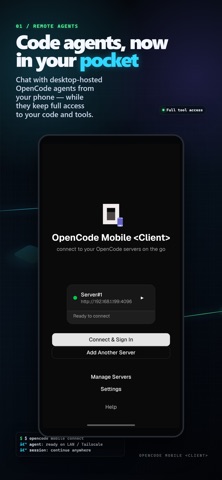
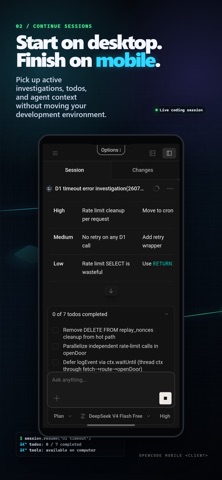
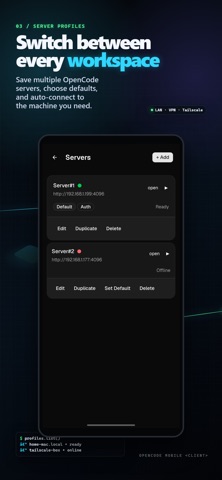
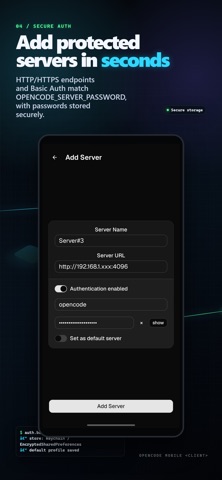
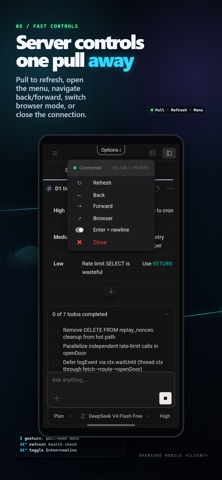
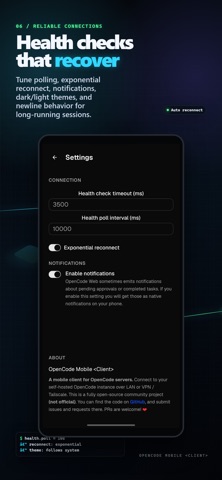
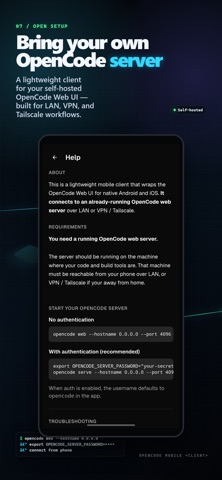
Seamlessly continue OpenCode sessions started on your computer from your phone, or continue mobile sessions back on your computer. (this is an open source community project. It is unofficial and is not affiliated with opencode.ai) FEATURES: ◆ Connect to any OpenCode server over HTTP or HTTPS, whether on your local network or remotely through a VPN such as Tailscale. ◆ Create multiple server profiles and automatically connect to your preferred server. ◆ Basic Auth support, including OpenCode servers configured with OPENCODE_SERVER_PASSWORD. ◆ Pull down while connected to access server management. Pull to refresh or open the menu to switch and manage servers. ◆ Automatic server health checks with exponential reconnect when the connection is interrupted. ◆ Secure password storage using Keychain. ◆ Dark and light themes with automatic system theme support. ◆ Optional Enter newline mode. Enter inserts a new line and Shift+Enter sends the prompt. ◆ OPEN SOURCE Found a bug or have an idea for an improvement? Contributions are welcome. You can report issues, suggest features, or submit pull requests on GitHub. GitHub repository: https://github.com/bmpenuelas/opencode-mobile-client ◆ QUICK START: An OpenCode server is required to use the app. The app acts as a client and connects to an OpenCode web server running on the computer where your source code and development tools are located. ► Without authentication opencode web --hostname 0.0.0.0 --port 4096 ► With authentication Authentication is recommended when the server is accessible beyond your trusted local network. export OPENCODE_SERVER_PASSWORD="your-secret-password" opencode serve --hostname 0.0.0.0 --port 4096 When authentication is enabled, the default username in the app is: opencode
What's new · 1.2.5
Inject fixes for stock OpenCode model selectors overlapping the send button.
Details