

face blurring
Yuya Takamoto · Photo & Video
Independent analytics for this App Store listing. AppTracker is not affiliated with Yuya Takamoto.
Chart standing · US
What changed · US
Listing changes AppTracker has observed for this app in this storefront — new versions, price moves, rating shifts, and store copy.
Improved time display and stability when video timing information is unavailable or invalid.
Screenshots

About
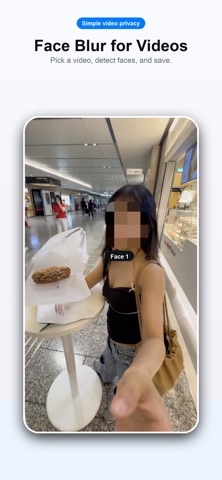
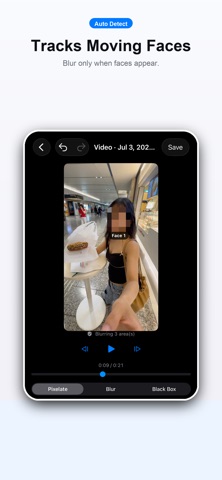
Face Blur for Video is a simple video privacy editor that automatically detects faces and applies pixelation, blur, or black boxes only while faces are visible. How it works: 1. Choose a video 2. Detect faces automatically 3. Check blur style, size, and strength 4. Save Detected faces are tracked as they move through the video. When needed, you can also add a manual blur area and adjust the parts you want to hide. Useful for: - Hiding faces before sharing on social media - Protecting friends, family, and people in the background - Blurring only part of a video - Quickly adding pixelation, blur, or black boxes Your videos and face data are not uploaded to any server. Face detection and editing run on device. Free to download. The first two exports are free. Optional Pro (monthly or lifetime) removes ads and unlocks unlimited exports. Free users may see ads from Google AdMob after the free export allowance. Terms of Use (EULA): https://www.apple.com/legal/internet-services/itunes/dev/stdeula/ Privacy Policy: https://docs.google.com/document/d/e/2PACX-1vTXFTDgpBFRRgrEZCFA5pm4SSQ4tA_GY0Mm5NMB4U-rrWGA7CQfQ6oHIVZElDngdaPbvxiJ5aLG9qqn/pub
What's new · 1.3.2
Improved time display and stability when video timing information is unavailable or invalid.
Details