

Cardnor – Scan Business Cards
Michael Schoenbeck · Productivity
Independent analytics for this App Store listing. AppTracker is not affiliated with Michael Schoenbeck.
Chart standing · US
What changed · US
Listing changes AppTracker has observed for this app in this storefront — new versions, price moves, rating shifts, and store copy.
- Contact photos are now included in the VCF export. - Simplified selection of the correct address book, including the option to name it. - New app icon and a matching colour scheme.
In-app purchases · US
No in-app purchases.
Screenshots




Keywords this app targets
Search terms AppTracker associates with this app — estimates, not search volume. ❝ = in the app's title; a highlighted number is its current position for that term.
Similar apps
Competitors and close alternatives, as estimated by AppTracker.
 Cardline - Scan Business Cards
Amos Rossman
2 shared topics · 6 shared title words
Cardline - Scan Business Cards
Amos Rossman
2 shared topics · 6 shared title words
 Business Card Scanner + Reader
Asad Ahsan
3 shared topics · 1 shared title word
Business Card Scanner + Reader
Asad Ahsan
3 shared topics · 1 shared title word
 Cardora: Scan Cards
z. JULIEN THIBAUD* SCHIANO DI COLA
2 shared topics · 2 shared title words
Cardora: Scan Cards
z. JULIEN THIBAUD* SCHIANO DI COLA
2 shared topics · 2 shared title words
 Business Card Reader, Scanner
Abdulla Yasin
2 shared topics · 1 shared title word
Business Card Reader, Scanner
Abdulla Yasin
2 shared topics · 1 shared title word
 Digital Business Card - Cardz
Jonathan Wiesner
2 shared topics · 1 shared title word
Digital Business Card - Cardz
Jonathan Wiesner
2 shared topics · 1 shared title word
 ABBYY Business Card Reader Pro
ABBYY USA Software House Inc
2 shared topics · 1 shared title word
ABBYY Business Card Reader Pro
ABBYY USA Software House Inc
2 shared topics · 1 shared title word
 Business Card Reader
ABBYY USA Software House Inc
2 shared topics · 1 shared title word
Business Card Reader
ABBYY USA Software House Inc
2 shared topics · 1 shared title word
 CardFollowUp
Find Friends For LLC
2 shared topics
CardFollowUp
Find Friends For LLC
2 shared topics
About
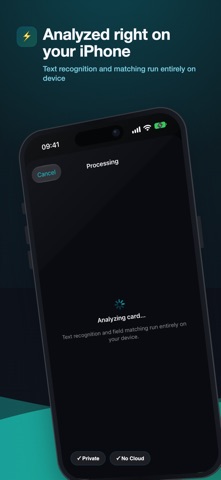
Turn paper into a contact—in seconds. Cardnor eliminates the need to manually type information from business cards. Simply take a photo of a card, and Cardnor automatically recognizes the name, company, phone number, and email address. Review, refine, save—done. It’s that simple: Scan in Seconds Point your camera at a business card—OCR and AI automatically create a clean contact. Review & Refine Edit every field before saving. Add a contact photo from your photo library or search the web directly. Save Securely to Your Contacts Save each card to the address book of your choice. Cardnor detects duplicates to keep your contacts organized. Stay Organized The dashboard gives you an overview of scanned cards, imported contacts, and your weekly activity at a glance. Your data stays yours. Cardnor works directly on your device—without requiring the cloud. Your contacts belong to you. Additional Features: * Intelligent duplicate detection * Export as vCard for easy sharing * Contact photos from your photo library or web search * Light and dark mode * Available in 5 languages: German, English, French, Spanish, and Italian Download Cardnor today and grow your network—without typing a single character.
What's new · 1.1.0
- Contact photos are now included in the VCF export. - Simplified selection of the correct address book, including the option to name it. - New app icon and a matching colour scheme.
Details