

FormFill: Fill & Sign PDF
Adelyons Software LLC · Productivity
Independent analytics for this App Store listing. AppTracker is not affiliated with Adelyons Software LLC.
Chart standing · US
What changed · US
Listing changes AppTracker has observed for this app in this storefront — new versions, price moves, rating shifts, and store copy.
After you finish and share a form, FormFill may now remind you that inviting a friend gets you both 30 days of FormFill Pro free. If your FormFill Pro subscription or trial has lapsed, you may see an offer of a free month to come back to unlimited documents, saved signatures and autofill. Questions or ideas? Email dev@adelyons.com.
Ratings breakdown · US
The star breakdown behind this app's rating in this storefront.
In-app purchases · US
What this app sells inside itself, grouped by kind and priced for this storefront.
Screenshots


About
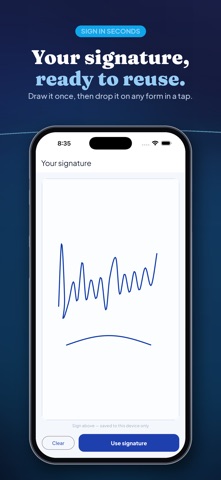
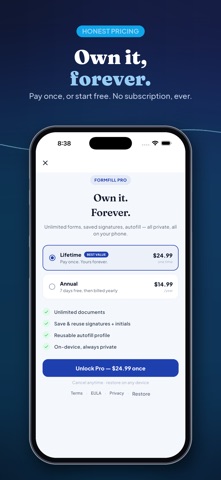
No subscription. No account. No catch. FormFill turns any PDF or paper form into something you can fill out, eSign, and send — right from your phone, and it stays on your phone. Most fill-and-sign apps make you subscribe just to export a document, push you to create an account, and upload your files to their servers. FormFill doesn't. Pay once and own it forever — or start free. FILL ANY FORM • Scan a paper form with your camera, or import a PDF or photo • Tap anywhere to add text — your name, address, dates, anything • Add checkmarks and X marks to boxes, and drop today's date in a tap • A real PDF form filler that works on any form — no fiddly fields SIGN IN SECONDS • Draw your signature once, then reuse it on any document • Add your initials the same way • Place, resize, and position your e-signature exactly where it belongs AUTOFILL & SEND • Save a reusable autofill profile for one-tap form filling • Flatten your filled form into a clean, finished PDF • Share it, email it, or save it to Files 100% PRIVATE — ON-DEVICE & OFFLINE • Your documents never leave your phone • No account, no sign-up — fill, sign, and export fully offline • The only things that ever leave your phone are store purchases and, only if you choose to use Invite a Friend, an anonymous referral code — never a document, never a name or email • Nothing to leak, nothing to track PAY ONCE, NOT EVERY MONTH Fill and sign your first documents free — no watermark. Go Pro to unlock unlimited documents, saved signatures and initials, and the reusable autofill profile. Choose a one-time Lifetime purchase — pay once, own it forever — or an annual plan that starts with a free trial. No surprise charges, and you can cancel anytime. INVITE A FRIEND Know someone else stuck filling out a form the hard way? Send them your code from Settings → Invite a Friend, and you both get 30 days of FormFill Pro free — unlimited documents, saved signatures, and autofill. No card required. A genuinely simple PDF form filler and e-signature app for anyone who just needs to scan a document, fill it out, sign it, and get on with their day. FormFill is made by Adelyons Software LLC.
What's new · 1.1.8
After you finish and share a form, FormFill may now remind you that inviting a friend gets you both 30 days of FormFill Pro free. If your FormFill Pro subscription or trial has lapsed, you may see an offer of a free month to come back to unlimited documents, saved signatures and autofill. Questions or ideas? Email dev@adelyons.com.
Details