
Chart standing · US
What changed · US
Listing changes AppTracker has observed for this app in this storefront — new versions, price moves, rating shifts, and store copy.
Price & rating history · US
Reconstructed from the listing changes AppTracker has observed in this storefront, so each line starts at the first change on record.
Average rating
Ratings breakdown · US
The star breakdown behind this app's rating in this storefront.
Screenshots
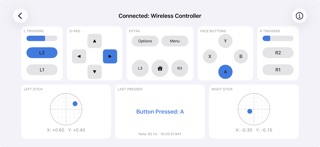
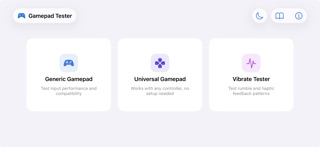
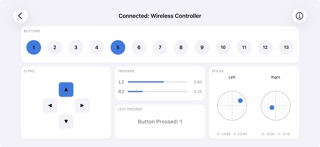
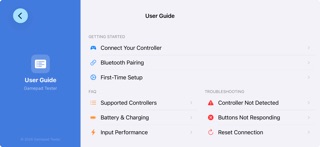

About
Gamepad Tester is the fast, no-setup way to check that your game controller works correctly on iPhone and iPad. Connect over Bluetooth or a cable, and every button, trigger, analog stick, and d-pad direction lights up on screen in real time. Whether you are buying a used controller, hunting down stick drift, or just making sure a new gamepad is fully functional, Gamepad Tester shows you exactly what your controller is sending. WHAT YOU CAN TEST • Buttons and triggers: see every press register instantly, with live trigger pressure values. • Analog sticks: precise X and Y readouts make stick drift easy to spot. Leave the sticks centered and watch for unwanted movement. • D-pad: confirm all four directions and the diagonals. • Rumble and haptics: fire built-in vibration presets, or set the left and right motor strength and duration yourself. • Battery: see your controller's charge level when it reports one. • Controller light: change the LED color on DualShock 4 and DualSense controllers. THREE TEST MODES • Generic Gamepad: a clear, labeled layout with live values and a live input update rate readout. • Universal Gamepad: works with any controller by mapping every input to a numbered slot, ideal when a controller is not fully recognized. • Vibrate Tester: presets and manual controls for rumble and haptics. WORKS WITH • MFi-certified controllers, such as Backbone One and Razer Kishi • Xbox controllers over Bluetooth • PlayStation DualShock 4 and DualSense Controllers that iOS does not recognize natively may not appear, even if they work on other platforms. NO SETUP, NO ACCOUNT Just connect a controller and start testing. There is no sign-in and no configuration, and your controller input is processed on your device. A built-in User Guide covers pairing, supported controllers, battery, stick drift, vibration, and troubleshooting. Gamepad Tester is free and supported by ads.
Details