

Zeti Editor
Ronny Makhoul · Developer Tools
Independent analytics for this App Store listing. AppTracker is not affiliated with Ronny Makhoul.
Chart standing · US
What changed · US
Listing changes AppTracker has observed for this app in this storefront — new versions, price moves, rating shifts, and store copy.
Performance improvements and bug fixes to keep Zeti Editor running smoothly
Ratings breakdown · US
The star breakdown behind this app's rating in this storefront.
In-app purchases · US
No in-app purchases.
Screenshots

About
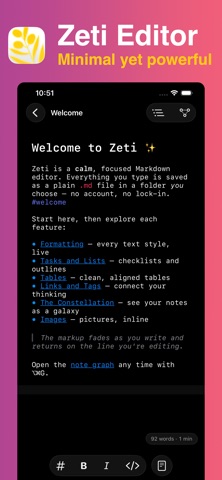
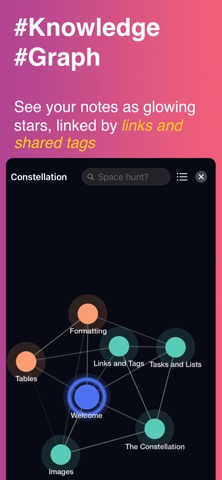
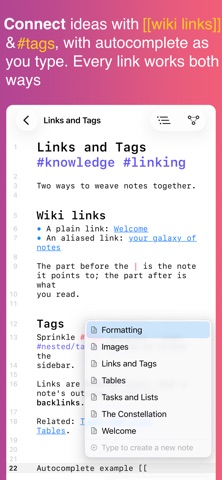
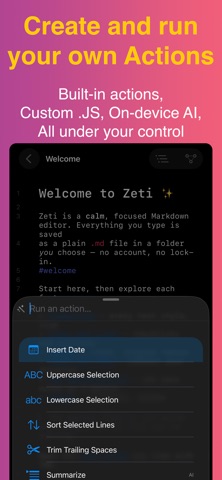
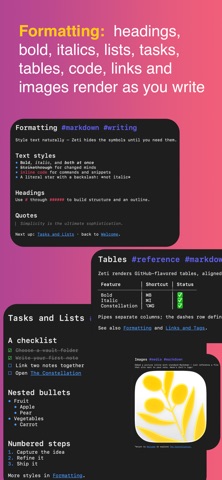
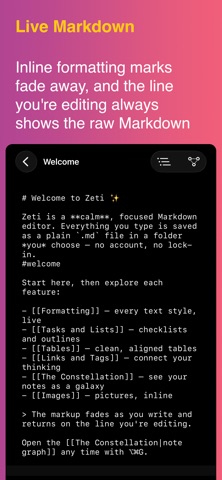
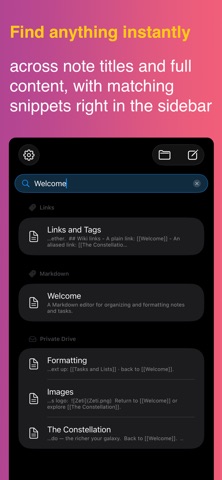
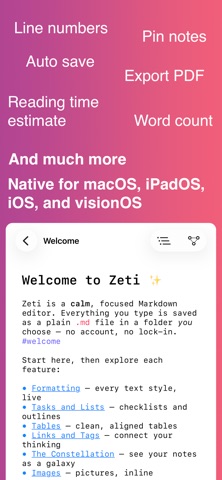
Zeti Editor is a Markdown editor that gets out of your way – a calm, focused canvas for writing, thinking, and note-taking Your notes are plain .md files in a folder you choose. No proprietary format, no account, no lock-in. Keep that folder locally or in iCloud Drive, Google Drive, or a git repo – how you sync is up to you, and your writing stays readable anywhere, on any device, for good WHAT YOU GET - Live Markdown: headings, bold, italics, lists, tasks, quotes, code, tables, links, and images render as you write. Inline formatting marks fade from view so your words stay front and center, and the line you're editing always shows the raw Markdown - Source mode: switch to plain raw Markdown any time with a single shortcut - Tasks you can tick: tap a checkbox to mark a to-do done, right inside your note - Actions & command palette: transform your text in a keystroke – open a command palette to run built-in text actions, write your own in JavaScript, or use on-device AI actions on supported hardware. Everything runs locally, with no network. For more information, visit: https://ronz.dev/zeti/docs/ - Shortcuts, Siri & Spotlight: create, open, append to, and search your notes from the Shortcuts app, Siri, and Spotlight - Export & share: turn any note into a PDF, or share your Markdown files anywhere – all through the native share sheet - Beyond Markdown: open and edit plain text, HTML, and CSS files too, with syntax highlighting - Linked notes: connect ideas with [[wiki links]] and #tags, with autocomplete as you type. Every link works both ways – open any note to see the notes that link back to it - Constellation: see your notes as a connected map, built from your links and shared tags. Tap a note to open it, search to highlight, and pinch to zoom - On-device intelligence: notes are summarized and tagged automatically using Apple Intelligence – privately, on your device, on supported hardware - Multiple windows: open several windows at once, each on its own folder, and work across projects side by side - Fast search across note titles and full content - Document outline to jump between headings in long files - Pin important notes to the top, and see details like created and modified dates at a glance - Live word count and reading-time estimate - Light and dark themes, adjustable text size, optional line numbers, and a quietly beautiful design built with Apple's latest materials - A short set of example notes to get you started – keep them, or remove them and reload them from Settings any time PRIVATE BY DESIGN Everything stays on your device. Zeti has no network access at all – no accounts, no servers, no tracking, no ads. Even your custom actions and on-device AI run entirely on your device. Your words never leave your device, and your .md files stay exactly where you put them BUILT FOR APPLE PLATFORMS Designed natively for Mac, iPad, iPhone, and Vision Pro with keyboard shortcuts, multiple windows, and a sidebar that keeps your folder one tap away Minimal yet powerful!
What's new · 0.5.1
Performance improvements and bug fixes to keep Zeti Editor running smoothly
Details