

Kikudana
Daniel Kirstenpfad · Books
Independent analytics for this App Store listing. AppTracker is not affiliated with Daniel Kirstenpfad.
Chart standing · US
What changed · US
Listing changes AppTracker has observed for this app in this storefront — new versions, price moves, rating shifts, and store copy.
New in Kikudana 1.9: - CarPlay follows your selected podcast and episode filters and ordering. Smart-Skip stays available as its state changes, alongside labeled playback controls. - Your saved position is kept when you pause or reopen the app. Press Play to continue from there. Audiobookshelf position is checked more reliably when playback starts; “Get position from server” explicitly uses the server position. - Queue badges now show membership consistently across episode lists.
Screenshots


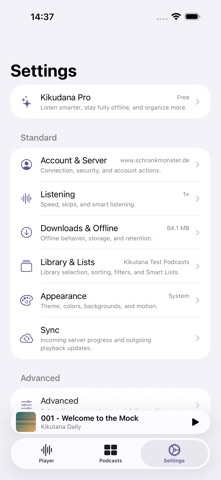
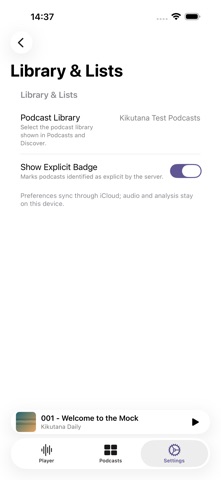


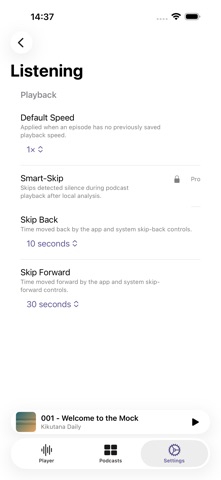

About
Kikudana brings podcasts from your Audiobookshelf server and Direct Feeds together on iPhone and iPad. Start listening without a server account, or add direct subscriptions alongside your existing library. Add a podcast feed, import subscriptions from an OPML file, or share a podcast website or Apple Podcasts link to Kikudana. Preview the podcast before subscribing, then find it in your library with its source clearly marked. If you administer Audiobookshelf, a guided migration can move a Direct Feed to your server. Choose started or finished episodes or all current episodes, preserve verified listening positions and Smart List membership, and resume longer transfers later. Audiobookshelf downloads episodes directly from the feed; Kikudana never uploads existing audio files. Search podcasts and episodes, browse recently published episodes, and pick up where you left off. Previously loaded library pages and artwork stay available when your connection drops. Kikudana Pro adds Smart Lists to organize your podcasts. Build your Current Queue, rearrange episodes, and return later. Playback restores paused, so opening the app never starts audio unexpectedly. Adjust playback speed and skip intervals, navigate chapters, or set the Sleep Timer to stop at a chapter’s end. Use AirPlay, CarPlay, and iOS media controls to keep listening. When an episode or chapter has its own artwork, switch between it and the podcast cover in the Player; the app’s cover-based accent colors follow your choice. Kikudana Pro includes Smart-Skip to shorten detected silence in downloaded episodes and Smart Rewind to replay a little context after eligible interruptions. On supported devices, Pro creates transcripts and chapter summaries from downloaded episodes, directly on your device. Search the text, follow highlighted words as you listen, or tap a passage to jump to that moment. Read concise summaries and key points without sending your audio or generated text to a cloud AI service. Kikudana Free temporarily caches your most recently played episode. Pro adds manual and automatic downloads, pinned episodes, Queue preloading, and per-podcast download rules. Resumable background downloads help keep episodes ready for offline listening. Background Tasks shows download, transcription, and summary progress in one place. Your Audiobookshelf listening position is saved locally before syncing with your server, including when you listen to downloaded episodes. Direct Feed listening remains separate from Audiobookshelf. Pro adds optional iCloud sync for supported settings and library data, multiple Audiobookshelf accounts, and background refresh when iOS allows it. Kikudana is an independent app and is not affiliated with or endorsed by the Audiobookshelf project. Privacy Policy: https://www.schrankmonster.de/kikudana-privacy/ Terms of Use (EULA): https://www.apple.com/legal/internet-services/itunes/dev/stdeula/
What's new · 1.9
New in Kikudana 1.9: - CarPlay follows your selected podcast and episode filters and ordering. Smart-Skip stays available as its state changes, alongside labeled playback controls. - Your saved position is kept when you pause or reopen the app. Press Play to continue from there. Audiobookshelf position is checked more reliably when playback starts; “Get position from server” explicitly uses the server position. - Queue badges now show membership consistently across episode lists.
Details