

PagePrep: PDF Margins & Notes
Prashant Angyan · Productivity
Independent analytics for this App Store listing. AppTracker is not affiliated with Prashant Angyan.
Chart standing · US
What changed · US
Listing changes AppTracker has observed for this app in this storefront — new versions, price moves, rating shifts, and store copy.
New: Compress. Make a picture-heavy PDF smaller before you send it. The pictures inside get smaller. Text that was selectable stays selectable. You see the size before and after, and you decide whether to keep the change.
In-app purchases · US
What this app sells inside itself, grouped by kind and priced for this storefront.
Screenshots


About
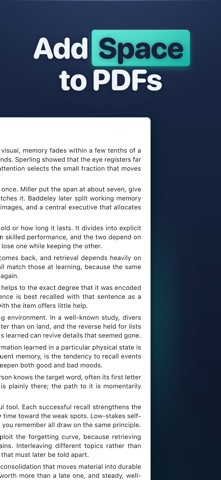
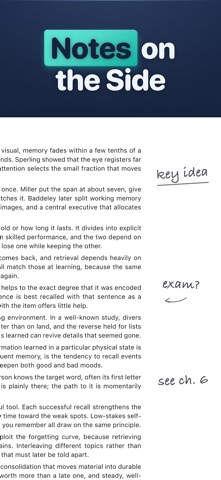
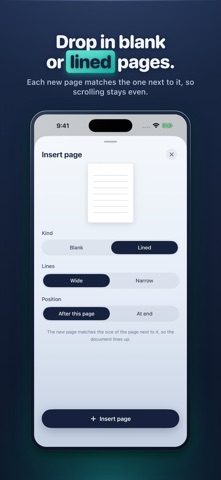
PagePrep adds space to write on a PDF. Widen the margins, insert blank or lined pages between the slides, then write your notes in Preview, Markup, or your note app. It also splits one file into two, merges several into one, makes a picture-heavy file smaller, trims wasted space, and reorders pages. PagePrep changes page size and page order instead of flattening the page to an image, so your text stays selectable and your links keep working. You open a PDF to write on it and there is nowhere to put your notes. The margins are tight and there is no blank space to work out a problem. Preview and Markup let you annotate, but they cannot add room to the page. PagePrep adds the room first. Save the file back to Files and write on it in Apple's Preview app or Markup, no extra app to buy. It also opens in GoodNotes, Notability, or forScore if that is your setup. ADD WRITING MARGINS Give any page room to write. Set the top, bottom, left, or right margin, or pick Small, Medium, or Large. Apply it to one page or the whole document and watch it update live. INSERT BLANK OR LINED PAGES Add a blank or ruled page between or after any page, sized to match the page next to it so the document scrolls evenly. Good for working a proof beside a problem set, or leaving a clean page after each slide. MERGE, SPLIT, REORDER Combine slides, readings, and problem sets into one study file. Pull a range of pages out into a new file. Drag thumbnails to reorder. Select pages and tap Delete. TRIM WASTED MARGINS Crop oversized whitespace to fit more on screen, without cutting into the content. COMPRESS A BIG FILE Make a scanned or picture-heavy PDF smaller before you email it. PagePrep re-saves the pictures inside at a smaller size and leaves everything else alone. Text that was selectable stays selectable, and links keep working. You see the old size and the new size before you keep the change. A file with few pictures may not get smaller, and PagePrep tells you so. IMAGES TO PDF Turn photos of handouts or worksheets into PDF pages, then use the same page tools on them. WHY PAGEPREP - Keeps your selectable text and your links working - Your PDF files never leave your device - No account, no sign-in, no ads - Write on it in Apple's Preview or Markup, or any note app The first 6 exports are free. After that, one purchase of $6.99 gives you unlimited exports for good. No subscription, ever.
What's new · 1.1.1
New: Compress. Make a picture-heavy PDF smaller before you send it. The pictures inside get smaller. Text that was selectable stays selectable. You see the size before and after, and you decide whether to keep the change.
Details