

DocMint: Photo & PDF Scanner
Tim Grootes · Productivity
Independent analytics for this App Store listing. AppTracker is not affiliated with Tim Grootes.
Chart standing · US
What changed · US
Listing changes AppTracker has observed for this app in this storefront — new versions, price moves, rating shifts, and store copy.
3 free Pro exports, up to 5 pages each. No time limit or automatic charge.
In-app purchases · US
What this app sells inside itself, grouped by kind and priced for this storefront.
Screenshots


About
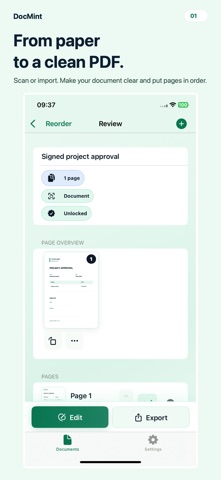
Turn paperwork into a clear PDF you can fill in, sign and share. SCAN DOCUMENTS • Scan paper or import photos and supported PDFs • Crop, correct perspective, rotate, reorder and delete pages • Find text with on-device OCR and export searchable PDFs • Add text, notes, highlights, arrows and signatures Your documents stay on your device and no account is required. 3 free Pro exports, up to 5 pages each. No time limit or automatic charge. DocMint Pro: All Pro tools. One payment. https://www.apple.com/legal/internet-services/itunes/dev/stdeula/
What's new · 1.2.3
3 free Pro exports, up to 5 pages each. No time limit or automatic charge.
Details