

VibeScan - PDF Doc Scanner
TU LUU · Productivity
Independent analytics for this App Store listing. AppTracker is not affiliated with TU LUU.
Chart standing · US
What changed · US
Listing changes AppTracker has observed for this app in this storefront — new versions, price moves, rating shifts, and store copy.
This update fixes several issues so VibeScan works more reliably. • Password-protected documents: Exporting, printing and saving to Photos now work correctly (no more blank pages), and text recognition (OCR) works on protected files. • Folders: You can now rename and delete folders right from the Home screen (long press a folder). • Privacy: Search and Ask AI no longer show content from locked documents. • Text recognition stays up to date after you add pages to a document. • Dates now display correctly in Japanese and Chinese. • iPad: Deleting the open document now closes it in the viewer. Thank you for using VibeScan! We read every review and message.
Screenshots


About
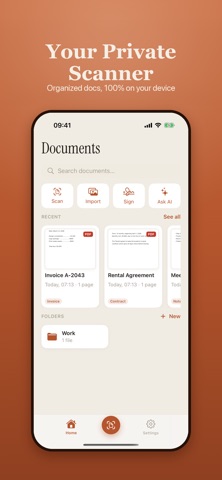
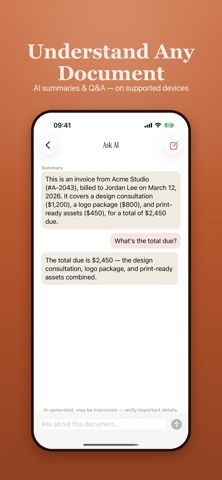
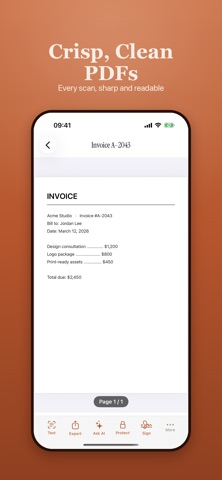
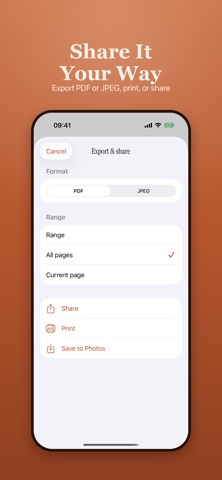
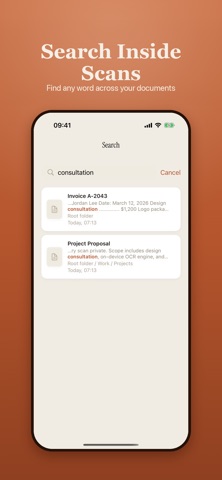
VibeScan turns your iPhone and iPad into a fast, private document scanner. Point, capture, and get a clean, sharp PDF in seconds — with everything processed right on your device. WHY VIBESCAN • 100% on-device — your documents never leave your phone. No account, no sign-up, no cloud upload. • Scanning, OCR, and export all work offline. • Free to use, powered by ads — no subscription required. SCAN ANYTHING • Automatic edge detection finds the page and crops it for you. • Perspective correction straightens angled shots into flat, readable pages. • Single-page mode, or batch capture for long multi-page documents. • Turn on auto-capture and it shoots as soon as the page is in frame. • Import photos from your library and turn them into documents. • Card mode adds an ID-sized framing guide for ID cards and passports. • Business card mode reads the details and saves the contact to your address book. • Filters and manual crop let you fine-tune any page before you save. TEXT & OCR • Multi-language OCR pulls editable text out of any scan. • Copy the whole text, share it, or send it to another app. • Pick your preferred OCR language, or let VibeScan detect it. FINISH & SHARE • Export as PDF or JPEG at the quality you choose. • Add an electronic signature to any PDF — draw it once, reuse it forever. • Add a diagonal watermark, and tune its size and opacity. • Annotate with handwritten ink or typed notes, page by page. • Share anywhere, or print straight to AirPrint. ORGANIZE • Organize documents with nested folder hierarchies. • Star the ones you keep coming back to. • Filter by document type, and search your library by name or full-text OCR content with snippet previews. • Full native iPad support, with a layout built for the bigger screen. SMART & SECURE • AI summaries and Q&A help you understand long documents (on supported devices). • Smart naming and auto-classification keep your library tidy (on supported devices). • Lock individual files with a password and Face ID. • Lock the whole app behind Face ID. Scan receipts, contracts, notes, IDs, business cards, and whole books — then keep them private, organized, and ready to share. Download VibeScan and turn your camera into a scanner you can trust. Free with ads. All document processing happens on your device.
What's new · 2.0.1
This update fixes several issues so VibeScan works more reliably. • Password-protected documents: Exporting, printing and saving to Photos now work correctly (no more blank pages), and text recognition (OCR) works on protected files. • Folders: You can now rename and delete folders right from the Home screen (long press a folder). • Privacy: Search and Ask AI no longer show content from locked documents. • Text recognition stays up to date after you add pages to a document. • Dates now display correctly in Japanese and Chinese. • iPad: Deleting the open document now closes it in the viewer. Thank you for using VibeScan! We read every review and message.
Details