

Omnia Reader
LiChuan Lin · Utilities
Independent analytics for this App Store listing. AppTracker is not affiliated with LiChuan Lin.
Chart standing · US
What changed · US
Listing changes AppTracker has observed for this app in this storefront — new versions, price moves, rating shifts, and store copy.
This update lets your library take in many more kinds of files — archives, Excel spreadsheets, older Word and PowerPoint files, and Pages, Numbers and Keynote documents — all for free. Importing and reading very large files (even several GB) is also more reliable. IMPORT ZIP & RAR ARCHIVES • Import a ZIP or RAR and every e-book inside is added to your library, up to 50 at a time; books already in your library are skipped • Archives that contain only images are added as comics automatically • Also handles compressed FB2 such as .fb2.zip, plus EPUB, DOCX, XLSX and PPTX files that lost their extension while downloading • Archives now appear when browsing iCloud or WebDAV, too EXCEL SPREADSHEETS (XLSX) • Every worksheet is listed in the table of contents — tap to jump to it • Dates, percentages and thousands separators keep their original formatting, and merged cells look just as they do in Excel • Hidden sheets, rows and columns are skipped; formulas show the values saved with the file • Wide tables scroll sideways, and you can use AI Summary and AI Q&A OLDER WORD & POWERPOINT FILES, PLUS iWORK • DOC, XLS, PPT, PPTX, Pages, Numbers and Keynote files can now be imported and opened • They're shown with the built-in iOS preview in their original layout, and presentations can be browsed slide by slide • These files open in Preview Mode and are view-only: bookmarks, highlights, search, read aloud and AI aren't available, and your reading position isn't saved. For all features, export them as DOCX, XLSX, EPUB or PDF first • The first page becomes the cover automatically, and PPTX files show their title and author MORE RELIABLE WITH LARGE FILES • Imports now run in the background — "Importing…" appears at the bottom of your library, and you can keep using the app while you wait • Importing multi-gigabyte files uses far less memory • If unpacking an EPUB was cut short — for example by low storage — it's unpacked again the next time you open it, so no more missing chapters or images • Pages with lots of images that go blank when memory runs low now reload automatically and return to where you were • If an EPUB can't be opened, you'll see that storage may be low or the file may be damaged • After updating, each existing EPUB is unpacked once more the first time you open it; large books may take a few seconds FIXES • Large PDFs now reopen on the page where you left off instead of the cover, and going back right away no longer resets your progress • Fixed some EPUBs showing tiny text and font size changes not applying accurately • Choosing AI Q&A or Word Explainer right after opening a book no longer opens the summary instead • Fixed AI occasionally replying that no content was provided • Comics (CBZ) compressed on a Mac no longer show pages that can't be displayed As always: fully offline, no tracking, no ads. Your books stay on your device.
Screenshots



About
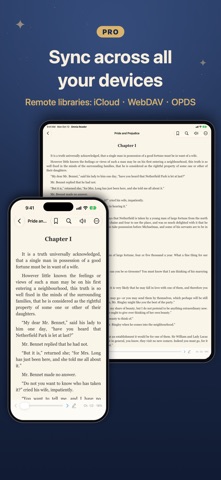
Omnia Reader is a universal e-book reader that opens almost anything — EPUB, PDF, CBZ/CBR comics, MOBI & AZW3 (Kindle), TXT, Markdown, HTML, DOCX, RTF, FB2, CSV — built entirely with native iOS frameworks. No accounts, no tracking, no ads. Your books and reading data stay on your device. READ EVERYTHING, FREE • 12+ formats, unlimited local library • Resume, table of contents, bookmarks • Comics with chapters and zoom; even GB-sized files open instantly • Day/night themes, system fonts, adjustable size, spacing and margins • Dictionary lookup and translation, full-text search • Read-aloud (TTS): automatic voice per language, background playback, lock-screen controls, follow-along, cross-chapter • 4-color highlights + notes (3 per book; unlimited in PDFs), export to Markdown • Beautiful quote cards to share • 17 languages, built-in handbook UNLOCK OMNIA PRO (one-time, no subscription) • On-device AI: summaries, Q&A and vocabulary — free, offline, private • Sync reading progress, bookmarks and highlights across devices — and your book files too • Remote libraries: WebDAV, OPDS, iCloud Drive • Unlimited highlights • Import your own fonts (.ttf/.otf) • Paged mode incl. paged EPUB, page-curl animation, two-page, vertical CJK, justify • Vocabulary deck with spaced repetition, tags, advanced stats WHY OMNIA • Truly native — fast, light, no third-party SDKs • Works fully offline • No subscription, no ads, no data collection • Buy Pro once, use on iPhone and iPad Bring your own books and enjoy reading.
What's new · 1.3
This update lets your library take in many more kinds of files — archives, Excel spreadsheets, older Word and PowerPoint files, and Pages, Numbers and Keynote documents — all for free. Importing and reading very large files (even several GB) is also more reliable. IMPORT ZIP & RAR ARCHIVES • Import a ZIP or RAR and every e-book inside is added to your library, up to 50 at a time; books already in your library are skipped • Archives that contain only images are added as comics automatically • Also handles compressed FB2 such as .fb2.zip, plus EPUB, DOCX, XLSX and PPTX files that lost their extension while downloading • Archives now appear when browsing iCloud or WebDAV, too EXCEL SPREADSHEETS (XLSX) • Every worksheet is listed in the table of contents — tap to jump to it • Dates, percentages and thousands separators keep their original formatting, and merged cells look just as they do in Excel • Hidden sheets, rows and columns are skipped; formulas show the values saved with the file • Wide tables scroll sideways, and you can use AI Summary and AI Q&A OLDER WORD & POWERPOINT FILES, PLUS iWORK • DOC, XLS, PPT, PPTX, Pages, Numbers and Keynote files can now be imported and opened • They're shown with the built-in iOS preview in their original layout, and presentations can be browsed slide by slide • These files open in Preview Mode and are view-only: bookmarks, highlights, search, read aloud and AI aren't available, and your reading position isn't saved. For all features, export them as DOCX, XLSX, EPUB or PDF first • The first page becomes the cover automatically, and PPTX files show their title and author MORE RELIABLE WITH LARGE FILES • Imports now run in the background — "Importing…" appears at the bottom of your library, and you can keep using the app while you wait • Importing multi-gigabyte files uses far less memory • If unpacking an EPUB was cut short — for example by low storage — it's unpacked again the next time you open it, so no more missing chapters or images • Pages with lots of images that go blank when memory runs low now reload automatically and return to where you were • If an EPUB can't be opened, you'll see that storage may be low or the file may be damaged • After updating, each existing EPUB is unpacked once more the first time you open it; large books may take a few seconds FIXES • Large PDFs now reopen on the page where you left off instead of the cover, and going back right away no longer resets your progress • Fixed some EPUBs showing tiny text and font size changes not applying accurately • Choosing AI Q&A or Word Explainer right after opening a book no longer opens the summary instead • Fixed AI occasionally replying that no content was provided • Comics (CBZ) compressed on a Mac no longer show pages that can't be displayed As always: fully offline, no tracking, no ads. Your books stay on your device.
Details