

Drawing Animation
Adem Uresin · Graphics & Design
Independent analytics for this App Store listing. AppTracker is not affiliated with Adem Uresin.
Chart standing · US
What changed · US
Listing changes AppTracker has observed for this app in this storefront — new versions, price moves, rating shifts, and store copy.
New drawing tools: • Shapes: draw straight lines, rectangles and ellipses with any brush. • Lasso: circle part of your drawing to move, resize, rotate, flip, copy or delete it. One undo brings it all back. • Symmetry (Premium): draw one half and watch the other mirror as you go — vertical, horizontal or four-way. Plus a fresh new app icon.
In-app purchases · US
What this app sells inside itself, grouped by kind and priced for this storefront.
Screenshots




About
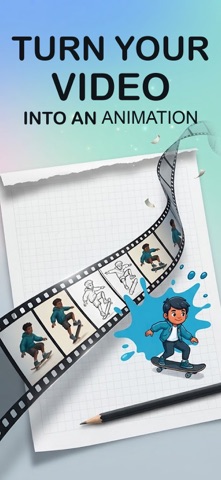
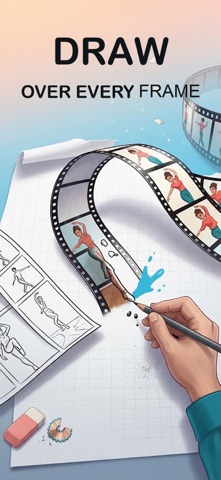
Drawing Animation turns your sketches into moving cartoons. Draw frame by frame, play it back instantly, and export with no watermark and no ads, even for free. A sketch, art and GIF maker app in one place: a canvas that feels like paper, a flipbook timeline made for animators, and a drawing app that works just as well with Apple Pencil as with your finger. Sketch, paint, doodle a stickman, or animate a whole cartoon or anime short on iPhone and iPad. NO WATERMARK, NO ADS Every animation you export is clean. No logo burned into the corner, no banners, no interruptions while you work. This is true on the free tier as well, not just after you pay. NEW: SHAPES, LASSO AND SYMMETRY Draw straight lines, rectangles and ellipses with any brush, so a charcoal circle looks like charcoal and a pencil box looks like pencil. Circle part of a drawing with the lasso to lift it off the page, then move it, scale it, rotate it, flip it, copy it or delete it, then drop it in place. One undo takes it all back. Turn on symmetry and draw one half of a face, a butterfly or a pattern while the other half appears mirrored as you go, vertically, horizontally or in four quarters. DRAW OVER VIDEO Import a clip and it becomes a reference layer, frame by frame. Trace the motion, then hide the video and keep only your own drawing. Rotoscoping is open to everyone here, not locked behind a purchase. SEE THE MOTION WHILE YOU DRAW Onion skin shows the frames before and after in different colors, so you always know where the movement is heading. Hold any frame in the timeline to preview it over your canvas. Play back slower or faster, loop it, and fix the timing before you commit. A TIMELINE THAT KEEPS UP Add, duplicate, delete, and reorder frames by dragging. Select many at once and move them together. Work across layers, lock transparency, color with the bucket tool, add titles and captions with the text tool, and change brush thickness without leaving the canvas. Grid overlay and zoom help you keep proportions steady, and the grid never shows up in your export. YOUR WORK IS SAFE Everything saves by itself while you draw, and a crash brings your draft back. Deleting a frame or a layer can be undone. Deleted projects wait in the trash before they go for good. iCloud backup is on for free accounts too. SOUND AND MUSIC Record your own voice straight onto the animation, or pick a track from the built in music library. Trim it, mute it, and set the level for each track separately. EXPORT AND SHARE Save to Photos or share anywhere as video or GIF. An export keeps running when you leave the app, so you do not have to sit and watch the progress bar. MADE TO FEEL RIGHT Left handed mode, dark theme, keyboard shortcuts on iPad, and a streak counter to keep you drawing. Sample projects are there when you want to take something apart and see how it was built. PREMIUM For the creator who outgrows the free tier: unlimited projects and frames, and up to 20 layers. More brushes, including ink, charcoal, watercolor, chalk, pixel, spray, glow, and your own custom brush. Symmetry drawing in three modes. 2160p canvas and export, higher frame rates, transparent GIF, and PNG sequence. Blend modes, a reference photo layer, eyedropper, and custom palettes. Longer video import with Magic Cut, which lifts a person or object off the background onto its own layer. Longer voice recording, a second audio track, your own music files, and the full music library. Ping pong loop. Premium is available as a monthly or yearly subscription, or as a one time lifetime purchase. Payment is charged to your Apple Account. Subscriptions renew automatically unless turned off at least a day before the current period ends. Manage or cancel anytime in your Account Settings. Terms of Use: https://www.apple.com/legal/internet-services/itunes/dev/stdeula/ Privacy Policy: https://rsndijital.com/link/drawing/privacy-policy.html
What's new · 1.1
New drawing tools: • Shapes: draw straight lines, rectangles and ellipses with any brush. • Lasso: circle part of your drawing to move, resize, rotate, flip, copy or delete it. One undo brings it all back. • Symmetry (Premium): draw one half and watch the other mirror as you go — vertical, horizontal or four-way. Plus a fresh new app icon.
Details