

PDF to Docx - Word Converter
延平 陈 · Utilities
Independent analytics for this App Store listing. AppTracker is not affiliated with 延平 陈.
Chart standing · US
What changed · US
Listing changes AppTracker has observed for this app in this storefront — new versions, price moves, rating shifts, and store copy.
- Performance improvements and stability enhancements. - Thanks for using PDF to Word.
In-app purchases · US
What this app sells inside itself, grouped by kind and priced for this storefront.
Screenshots



About
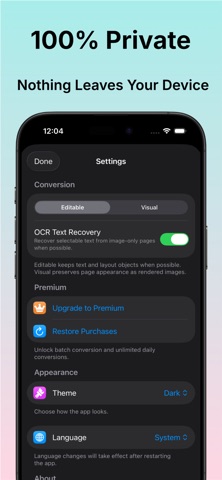
PDF to Word - Docx Converter Convert PDF files into editable Word (DOCX) documents quickly and accurately. Whether your PDF contains selectable text or scanned pages, PDF to Word - Docx Converter helps you create editable documents in just a few taps. Our built-in OCR technology extracts text from scanned PDFs, making it easy to edit, copy, and reuse your content. Features • Convert PDF to editable Word (DOCX) • OCR for scanned PDF documents • Extract text from image-based PDFs • Preserve document formatting whenever possible • Fast and accurate conversion • Support for multi-page PDF files • Edit your converted documents in Microsoft Word and other compatible editors • Share and export converted files with ease • Simple, fast, and intuitive interface Perfect For • Contracts • Reports • Resumes • Invoices • Forms • Study notes • Business documents • Office paperwork Why Choose PDF to Word - Docx Converter? Whether you’re converting a digital PDF or a scanned document, our app helps you create editable Word files quickly and reliably. OCR automatically recognizes text in scanned PDFs, allowing you to recover content that can’t normally be copied or edited. Designed for students, professionals, and businesses, PDF to Word - Docx Converter makes document conversion simple, fast, and convenient. Download PDF to Word - Docx Converter today and turn your PDFs into editable Word documents in seconds! If you have any questions or need help, please contact us: admin@yenpi.com Terms of Use: https://www.apple.com/legal/internet-services/itunes/dev/stdeula/
What's new · 26.9.0
- Performance improvements and stability enhancements. - Thanks for using PDF to Word.
Details