

Sandbox AI Studio
Vlodkodesign, LLC · Photo & Video
Independent analytics for this App Store listing. AppTracker is not affiliated with Vlodkodesign, LLC.
Chart standing · US
What changed · US
Listing changes AppTracker has observed for this app in this storefront — new versions, price moves, rating shifts, and store copy.
• Saving an image now confirms right on the button — it turns green with "Saved!" (no more pop-up). • Fixed the before/after slider losing track of your finger after rotating your device. • Fixed pinch-zoom in the result preview pivoting around the wrong point. • Edits start a little faster.
Ratings breakdown · US
The star breakdown behind this app's rating in this storefront.
Screenshots


About
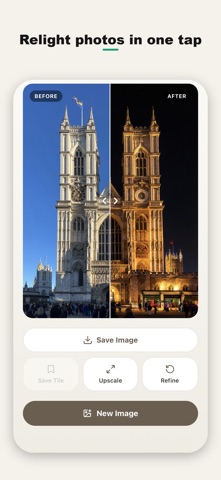
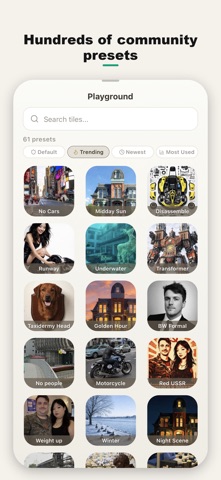
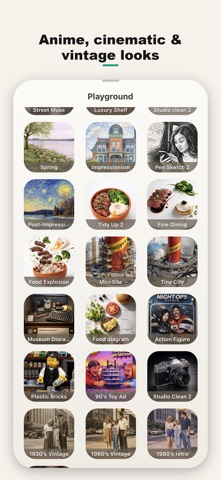
Every AI photo trend - made by real people. Sandbox AI Studio is a community of one-tap AI photo presets. Instead of typing prompts, browse a playground of ready-made looks created by real users and apply any of them to your photo in a single tap. WHAT YOU CAN DO - Turn a portrait into a collectible figurine or action figure - Restyle a selfie into anime, manga or chibi - Add a cinematic film grade or golden-hour glow - Travel through time with vintage and retro looks - Relight a photo from day to night, or swap seasons - Create clean studio portraits A COMMUNITY PLAYGROUND Sort presets by Trending, Newest and Most Used. Whatever look is going viral, someone has already made it into a one-tap preset. Save the looks you love, build your own studio, and publish your presets for others to try. START FREE Download and start editing with 10 free AI edits - no account required. Sign in with Apple later to keep your credits and presets across devices. PLANS Upgrade only if you want more: Play (50), Media (200) or Pro (500) edits per month, billed monthly or yearly, cancel anytime. Edits are processed by leading generative image models. See our Privacy Policy for details. Terms of Use (EULA): https://vlodkodesign.com/sandboxai/terms.html
What's new · 3.1.0
• Saving an image now confirms right on the button — it turns green with "Saved!" (no more pop-up). • Fixed the before/after slider losing track of your finger after rotating your device. • Fixed pinch-zoom in the result preview pivoting around the wrong point. • Edits start a little faster.
Details