

VCMC - Voice Chat for MC
ADRIAN VEGA CANO · Utilities
Independent analytics for this App Store listing. AppTracker is not affiliated with ADRIAN VEGA CANO.
Chart standing · US
What changed · US
Listing changes AppTracker has observed for this app in this storefront — new versions, price moves, rating shifts, and store copy.
Improved stability and performance for proximity voice chat, refined the interface, and updated compatibility with recent Minecraft versions.
Price & rating history · US
Reconstructed from the listing changes AppTracker has observed in this storefront. A field is charted once it has changed more than once, and each line starts at the value it moved from.
Average rating · ★ 4.39 now · 25 changes on record
Ratings breakdown · US
The star breakdown behind this app's rating in this storefront.
In-app purchases · US
What this app sells inside itself, grouped by kind and priced for this storefront.
Screenshots




About
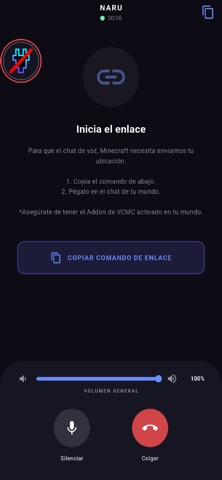
Proximity Voice Chat for Minecraft Bedrock & Java Finally, voice chat in Minecraft without complicated setup! Forget Discord, external calls, or renting servers just to talk to your friends. VCMC connects your voice directly to the game using its own dedicated server - you just open the app, paste a command in Minecraft chat, and you're done. WHY IS IT DIFFERENT? VCMC handles all the infrastructure for you. No need to configure IPs, open ports, or pay anything extra. The system detects nearby friends and connects their audio automatically. (Some hosts outside of Aternos may require the server-net module.) COMPATIBLE WITH BEDROCK AND JAVA Local Minecraft Bedrock worlds Bedrock servers (via our official Addon) Java servers with Geyser (via our official Plugin) FEATURES Connect via Command Copy the code the app gives you and paste it into Minecraft chat. The Addon or Plugin links your voice to your player. Real Proximity Voice You only hear players who are near you in the game. The farther away they are, the quieter they sound. Perfect for Survival, Adventure Maps, Minigames, and Roleplay. Also Available on Windows and Linux VCMC has a desktop version for Windows and Linux, with more platforms coming soon. Use it on your computer while gaming, no phone needed. Floating Bubble (Overlay) Control your microphone without leaving the game. Mute yourself or enable voice from the floating bubble while you keep playing. Forced Mute for Admins Server admins can mute specific players directly from Minecraft with a single command. HOW TO GET STARTED Download the app and create a room. Install the Addon in your Minecraft world or server. Copy the command the app gives you. Paste it into the game chat. Done! Now you can talk to your friends. Official documentation: https://antoic.netlify.app/docs/vcmc.html Unofficial Minecraft application. VCMC is not affiliated with Mojang AB. The name "Minecraft" and its assets are property of Mojang AB. All rights reserved. See: http://account.mojang.com/documents/brand_guidelines
What's new · 2.2.8
Improved stability and performance for proximity voice chat, refined the interface, and updated compatibility with recent Minecraft versions.
Details