

FingerDrum: Learn Drum Pads
Chengdu Tuyang Tusen Technology Co., Ltd · Music
Independent analytics for this App Store listing. AppTracker is not affiliated with Chengdu Tuyang Tusen Technology Co., Ltd.
Chart standing · US
What changed · US
Listing changes AppTracker has observed for this app in this storefront — new versions, price moves, rating shifts, and store copy.
• Added style templates for new projects. • Refined performance controls, track editing, and precise tempo adjustments. • Fixed project score practice controls, featured-score loop lengths, and layout loading. • Added native in-app review prompts and reliability improvements.
Ratings breakdown · US
The star breakdown behind this app's rating in this storefront.
Screenshots



About
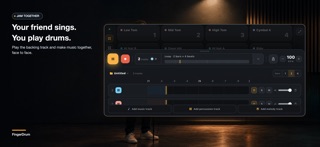
Turn your iPhone or iPad into a drum-pad instrument, structured course, backing-track player, AI stem separator, and beat studio. FingerDrum includes 6 chapters and 24 lessons, moving from the first beat through syncopation and fills to styles, arrangements, and built-in drumless play-alongs. LEARN TO PLAY • Use Listen, Practice, and Challenge modes in every lesson • Work on 8th- and 16th-note rhythms, syncopation, fills, styles, and full arrangements • Challenges score the Pad you hit and your timing; scores and star progress are stored locally • Follow each lesson’s target BPM; chapters 1–2 are free and chapters 3–6 require FingerDrum Pro PLAY ANYWHERE • Perform on a responsive 16-pad drum surface • Switch among arranged acoustic, electronic, hip-hop, and rock kits, plus custom layouts • Use the landscape interface for comfortable two-hand playing AI STEMS & DRUMLESS PRACTICE • After you sign in, a song is uploaded only when you tap Start Analysis • Separate songs into vocals, drums, and accompaniment, then create drumless backing tracks • Detect BPM automatically and generate a draft drum chart to verify by listening • Mute, solo, and adjust the three music layers inside the App MAKE BEATS & REMIXES • Layer percussion, melodies, loops, and music clips • Edit hits, resolution, note length, and per-track loop bars in the step sequencer • Create alone or take turns playing pads and controlling tracks on one device Learn from your first beat, take course challenges with drumless play-alongs, split songs into stems, jam with friends, and shape ideas into remixes and beats—all in FingerDrum. Terms of Use (EULA): https://www.apple.com/legal/internet-services/itunes/dev/stdeula/
What's new · 1.1.1
• Added style templates for new projects. • Refined performance controls, track editing, and precise tempo adjustments. • Fixed project score practice controls, featured-score loop lengths, and layout loading. • Added native in-app review prompts and reliability improvements.
Details