

QR Preview
Luan Cu Xuan · Utilities
Independent analytics for this App Store listing. AppTracker is not affiliated with Luan Cu Xuan.
Chart standing · US
What changed · US
Listing changes AppTracker has observed for this app in this storefront — new versions, price moves, rating shifts, and store copy.
In-app purchases · US
No in-app purchases.
Screenshots


About
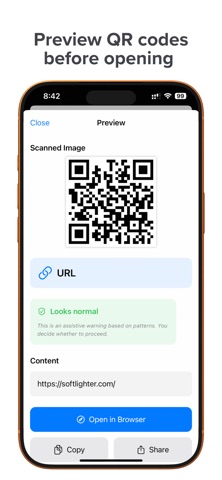
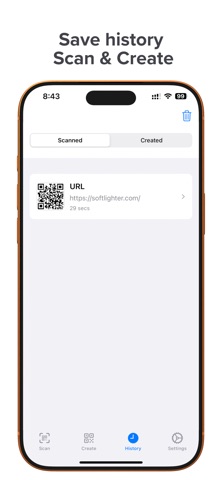
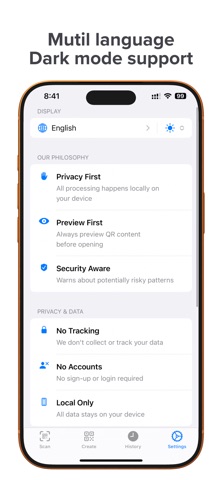
QR Preview helps you scan and create QR codes with more control and less guesswork. Instead of opening links immediately, the app shows you what is inside a QR code first, then highlights suspicious patterns so you can decide what to do next. Use QR Preview to: Scan QR codes with your camera. Read QR codes from photos and screenshots. Preview links before opening them. Create QR codes for websites, text, Wi‑Fi, contacts, email, and more. Copy, share, or save scanned results. Keep a local history of your scans and created codes. If a QR code contains a website, QR Preview shows the full destination and checks for signals that may deserve a closer look, such as shortened links, unusual characters, insecure HTTP, or other suspicious patterns. The app is designed to help you review a link before you open it, not to make unverifiable safety guarantees. Privacy comes first: No account required. No ads. No tracking. Your scans and history stay on your device unless you choose to share something yourself. QR Preview is built for everyday utility: Fast camera scanning. Clean preview before action. Useful QR creation tools. A calm, simple interface focused on clarity. Whether you are scanning a code on a poster, package, menu, website, or screenshot, QR Preview gives you a better look before you tap.
Details