

OCR Scanner-Image To Text
Quoc Cuong Pham · Productivity
Independent analytics for this App Store listing. AppTracker is not affiliated with Quoc Cuong Pham.
Chart standing · US
What changed · US
Listing changes AppTracker has observed for this app in this storefront — new versions, price moves, rating shifts, and store copy.
Fix Bug
In-app purchases · US
What this app sells inside itself, grouped by kind and priced for this storefront.
Screenshots



About
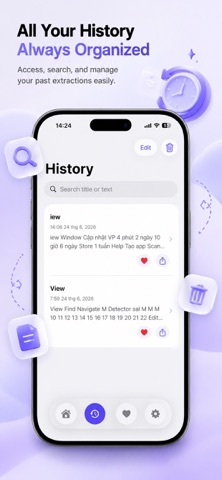
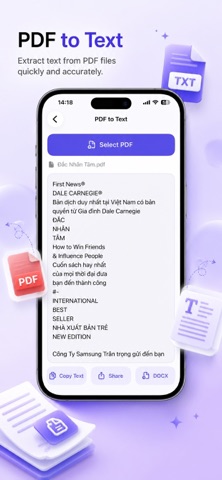
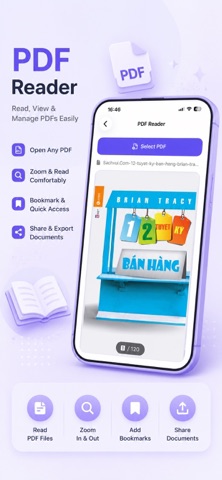
ScanText OCR – Extract Text & PDF Tools Turn your photos, screenshots, and documents into editable text in seconds with ScanText OCR. Whether you’re scanning notes, receipts, books, business documents, or PDFs, ScanText OCR helps you quickly extract text and convert files with a simple and intuitive experience. Key Features OCR Text Recognition • Extract text from photos and images • Scan documents using your camera • Import images from your photo library • Fast and accurate text recognition • Supports multiple languages PDF to Text • Extract editable text from PDF documents • Copy recognized text instantly • Share extracted content easily Text to PDF • Create PDF documents from plain text • Customize document content • Add optional watermarks • Share generated PDFs instantly Image to PDF • Convert photos into high-quality PDF files • Combine multiple images into a single PDF • Easy sharing and exporting Smart Productivity Tools • Save scan history automatically • Favorite important documents • Search through saved content • Quick copy and sharing options Privacy & Security • Face ID / App Lock support • Optional PDF password protection • Local processing whenever possible • Your documents remain under your control Perfect For • Students • Teachers • Business professionals • Office workers • Researchers • Anyone who works with documents daily Download ScanText OCR today and make document scanning, text extraction, and PDF management faster than ever.
What's new · 1.1
Fix Bug
Details