

CADSketch
Dan Newcome · Graphics & Design
Independent analytics for this App Store listing. AppTracker is not affiliated with Dan Newcome.
Chart standing · US
Screenshots



About
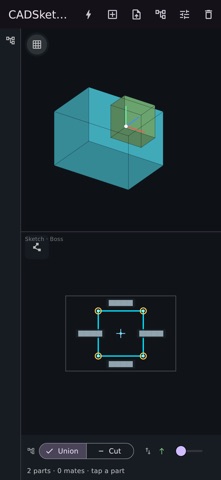
CADSketch turns freehand drawing into precise 2D geometry — and then into 3D parts — on iPhone and iPad. Sketch with your finger or Apple Pencil. CADSketch recognizes lines, arcs, and circles and cleans them up with a constraint solver, so rough strokes become exact, well-proportioned geometry. Close a profile and it extrudes into a solid you can orbit in 3D. • Draw and auto-constrain — strokes snap to clean lines, arcs, and circles; drag a point and edges snap to horizontal, vertical, or parallel • Extrude closed profiles into 3D solids, viewed as wireframe or shaded • Sketch on a face to add material or cut into a part, with the direction and result shown clearly • Import DXF drawings as sketches; export parts as STL for 3D printing • Turn text into sketches and emboss it onto a surface • Build multi-part assemblies with mates • Drag points to edit; the geometry re-solves live No account, no sign-in, and your work stays on your device.
Details