

Mosaicly - Editor
Corin Okonkwo · Lifestyle
Independent analytics for this App Store listing. AppTracker is not affiliated with Corin Okonkwo.
Chart standing · US
What changed · US
Listing changes AppTracker has observed for this app in this storefront — new versions, price moves, rating shifts, and store copy.
What's New in 1.1 • One-tap style presets in Studio (Clean, Warm, Film, Colorful) • Drag tiles to rearrange your mosaic • Undo and redo while editing • Share works directly to social apps • New layouts: 5×5, 2×3, 3×2 • Filter intensity slider and custom background colors • Favorite works and sort your library
Screenshots


About
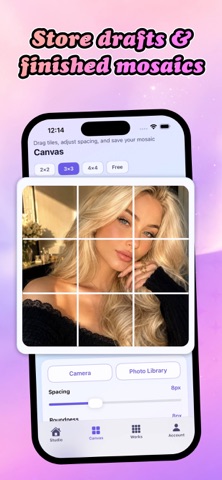
Mosaicly is a creative photo utility that turns your pictures into tile mosaic layouts. Import or capture a photo, split it into puzzle blocks, rearrange tiles, adjust spacing and corners, pick aspect ratios and filters, then save or export your work—all on your device. Key Features: - Studio: Browse templates (2×2, 3×3, 4×4, Free Split), quick-start imports, style chips, and recent works. - Canvas Editor: Tap-to-swap tiles, Shuffle and Reset Order, spacing and roundness sliders, background colors, aspect ratios (1:1, 3:4, 4:5, 16:9), and photo filters. - Works Library: Filter saved pieces, drafts, and exports; search by title; open detail to edit, duplicate, or delete. - Export Options: Standard daily exports, HD export, and no-mark export using optional Points. - Audio Attachments: Record or import an optional audio memo when saving a work; play, replace, or remove from Work Detail. - Points Store: Six consumable Point packs via Apple In-App Purchase for HD export, Free Split unlock, extra drafts, and premium exports. - Privacy First: Photos, works, drafts, Points balance, and attachments stay local. No social feed, chat, or cloud account server. Start creating mosaic layouts from your own photos with Mosaicly.
What's new · 1.2
What's New in 1.1 • One-tap style presets in Studio (Clean, Warm, Film, Colorful) • Drag tiles to rearrange your mosaic • Undo and redo while editing • Share works directly to social apps • New layouts: 5×5, 2×3, 3×2 • Filter intensity slider and custom background colors • Favorite works and sort your library
Details