

Pressed: Risograph & Halftone
AHMET DUMAN · Photo & Video
Independent analytics for this App Store listing. AppTracker is not affiliated with AHMET DUMAN.
Chart standing · US
What changed · US
Listing changes AppTracker has observed for this app in this storefront — new versions, price moves, rating shifts, and store copy.
Refine specific areas with Selective Ink while keeping your photo in view. Explore larger halftone dots without changing your saved presets. Enjoy a more consistent interface and improved preset thumbnail loading, with thumbnails cached for repeat visits.
Ratings breakdown · US
The star breakdown behind this app's rating in this storefront.
Screenshots



About
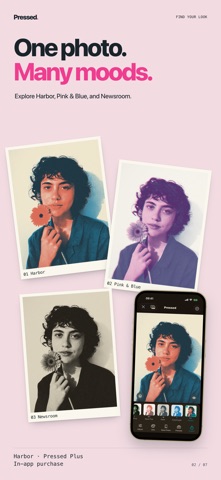
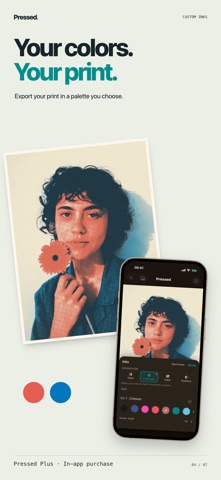
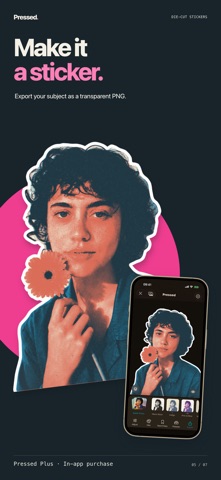
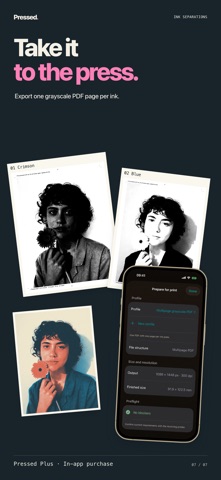
Give your photos the color, texture, and character of a risograph print. Pressed turns portraits, still lifes, and everyday snapshots into digital print artwork with layered spot colors, halftone dots, and paper texture. Start with a look you love, then make it your own on iPhone or iPad. FIND YOUR LOOK Explore different directions with Quick Press, compare variations in Test Strips, and discover color combinations with Ink Match. Hold the preview to compare your artwork with the original photo. MAKE EVERY DETAIL COUNT Crop and rotate your image, choose an aspect ratio, and adjust its framing. Shape the halftone with dot size, dot shape, and screen angle. Balance ink tones, paper texture, bleed, and registration for crisp graphics or a softer printed feel. BUILD A CONSISTENT SERIES Bring several photos into a Press Set and give them a shared look. Refine individual images while keeping the series together. Creating and preparing Press Sets is free. TAKE YOUR ARTWORK FURTHER WITH PLUS Export transparent die-cut stickers with a white keyline. Keep unlimited custom presses, export your own ink combinations, and share a Press Run video that shows the colors building one pass at a time. For separation work, export a generic multipage PDF with one grayscale page per ink and fixed crop and registration marks. Plus also includes Press Set package export. Confirm page size, screening, marks, format, and imposition with the receiving printer. START FREE. KEEP CREATING. Free image exports reach up to 4096 pixels on the long edge, with no watermark. Pressed Plus is a one-time purchase: exports up to 6000 pixels, selected premium looks, custom ink export, stickers, unlimited saved presses, PDF separations, Press Set package export, and Press Run video. No subscription. YOUR PHOTOS STAY YOURS Photo processing happens on your device. Pressed has no developer-operated accounts, backend, analytics, tracking, or photo uploads. Apple services handle purchase information, purchases, and restoration. Links you choose may open the App Store or Mail.
What's new · 2.2.0
Refine specific areas with Selective Ink while keeping your photo in view. Explore larger halftone dots without changing your saved presets. Enjoy a more consistent interface and improved preset thumbnail loading, with thumbnails cached for repeat visits.
Details