

Squish: Compress & Edit Videos
NIXLIGHT TECHNOLOGY LIMITED · Utilities
Independent analytics for this App Store listing. AppTracker is not affiliated with NIXLIGHT TECHNOLOGY LIMITED.
Chart standing · US
What changed · US
Listing changes AppTracker has observed for this app in this storefront — new versions, price moves, rating shifts, and store copy.
Improved stability when loading video previews and processing multiple videos. Additional bug fixes.
In-app purchases · US
What this app sells inside itself, grouped by kind and priced for this storefront.
Screenshots



About
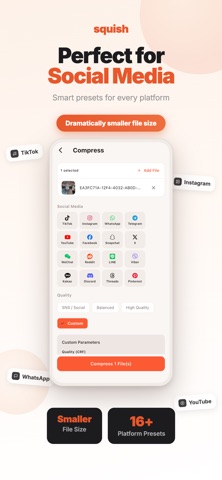
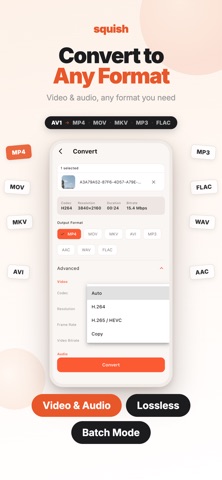
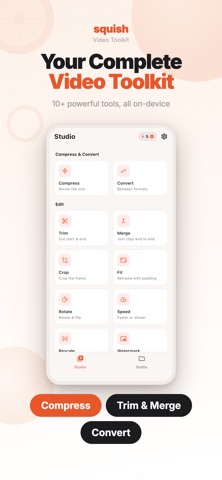
Squish is a video compressor and editor built for social media, messaging, email, and easier sharing. Reduce large video files with practical presets or fine-tune the output yourself. All media processing happens on your device, with no media uploads or cloud processing. SMART VIDEO COMPRESSION • Compress videos and reduce file size in a few taps • Choose from 16 presets for WhatsApp, Instagram, TikTok, Facebook, Telegram, YouTube, Snapchat, X (Twitter), WeChat, Discord, Reddit, LINE, Viber, Kakao, Threads, and Pinterest • Adjust CRF quality, resolution up to 4K, frame rate, and audio bitrate • Queue multiple videos and let Squish process them automatically Use Squish when a video will not send in WhatsApp, an MP4 exceeds an email attachment limit, or large clips are filling your phone storage. Compress video offline, reduce MP4 file size, and create smaller files that are easier to share. VIDEO EDITING TOOLS • Trim with precise start and end controls, loop preview, black-screen detection, and optional fade-out • Crop with free or fixed aspect ratios, including 1:1, 4:3, 16:9, and 9:16 • Rotate, flip, and mirror videos • Create slow-motion or time-lapse videos • Fit videos to social aspect ratios with a blurred or black background • Rescale by percentage or exact dimensions CREATE AND CONVERT • Convert to MP4, MOV, MKV, AVI, MP3, AAC, WAV, or FLAC • Create palette-optimized GIFs with custom frame rate and size • Merge multiple video clips end to end • Add optional text or image watermarks with custom position and opacity; Squish does not add a watermark unless you choose to create one • Export any video frame as a high-quality JPG or PNG cover image AUDIO TOOLS • Extract audio as MP3 or AAC • Remove a video's audio track or adjust its volume • Add, replace, or mix background music with loop and fade-out controls BUILT FOR AN EFFICIENT WORKFLOW • Share videos or audio into Squish from Photos, Files, or another supported app • Inspect codec, resolution, bitrate, frame rate, duration, and file size • Keep completed outputs in Drafts until you are ready to save or share them PRIVATE MEDIA PROCESSING Your videos and images are processed locally on your device. They are never uploaded for compression or editing, and no Squish account is required. Core media tools work offline.
What's new · 1.0.3
Improved stability when loading video previews and processing multiple videos. Additional bug fixes.
Details