

RenoTracker — Reno Budget
Justin Pruskowski · Productivity
Independent analytics for this App Store listing. AppTracker is not affiliated with Justin Pruskowski.
Chart standing · US
What changed · US
Listing changes AppTracker has observed for this app in this storefront — new versions, price moves, rating shifts, and store copy.
Initial release.
Screenshots


About
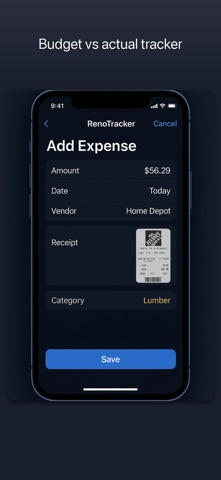
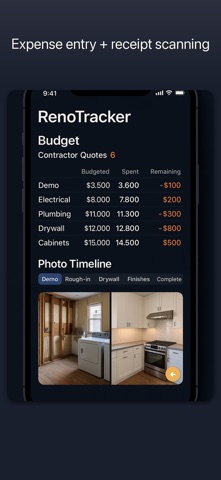
Home renovations almost always go over budget. RenoTracker tells you exactly where the money went and what's left. Track your entire renovation budget by category — demo, materials, labor, permits, contingency. See what's budgeted, what's committed in contracts, and what's actually spent. Over-budget categories flag immediately in red. Photograph any receipt or invoice and RenoTracker reads it automatically — vendor, date, line items, total — and posts it to the right budget category. Expense logging takes ten seconds. Compare contractor quotes side by side. Enter or photograph multiple bids and see them in a structured table: total, labor, materials, timeline, payment terms, warranty. An AI summary flags the key differences so you can make a confident decision. Document your renovation with a before/after photo timeline by phase — demo, rough-in, drywall, finishes. The 50/50 comparison view shows exactly how far you've come. Export a complete PDF project report to share with your partner, lender, or real estate agent. Manage the punch list before final payment. Add deficiency photos, assign items to contractors, track resolution. Log change orders separately so scope creep never hides in your budget. Never miss a payment milestone with upcoming and overdue alerts. Your project data stays private — synced across your devices via iCloud, never shared with third parties. Terms of Use (EULA): https://www.apple.com/legal/internet-services/itunes/dev/stdeula/ Privacy Policy: https://brainrash.com/apps/reno-tracker/privacy
What's new · 1.0.2
Initial release.
Details