

Woola - AI Dance Video Editor
Bixin Information Service (Shenzhen) Co.,Ltd. · Photo & Video
Independent analytics for this App Store listing. AppTracker is not affiliated with Bixin Information Service (Shenzhen) Co.,Ltd.
Chart standing · US
What changed · US
Listing changes AppTracker has observed for this app in this storefront — new versions, price moves, rating shifts, and store copy.
• New Effects & Atmosphere tools — add one-tap clones, dancer reflections, underwater light, white/black flashes, soul-out effects and foreground stickers. • Adjust clone size and effect intensity for a more natural result. • Improved Smart Camera Moves, Clean Black Background and overall editing experience.
Ratings breakdown · US
The star breakdown behind this app's rating in this storefront.
Screenshots



About
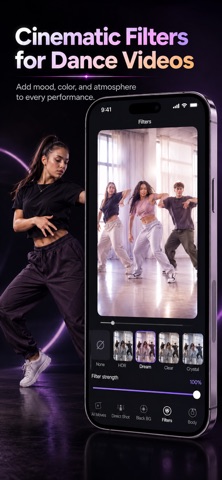
DanceShot — AI Editing Assistant for Dance Videos You nailed the dance. Your video should keep up. Recorded audio is noisy, so replacing it means syncing the music again. A fixed camera captures the movement, but not the energy. In a group video, keeping one dancer in focus takes constant cropping and tracking. Clone effects, reflections, flashes and atmosphere overlays usually mean extra layers, keyframes and manual adjustments. DanceShot turns those dance-specific edits into a few simple taps. Import your dance video, choose what you want, and let DanceShot help with music sync, smart camera moves, personal fancams, visual effects, background cleanup, filters and beauty tools. ■ One-Tap Music Sync Recorded audio full of noise or echo? Replace it with clean music and let DanceShot analyze the dance and rhythm to generate multiple sync options automatically. No more dragging the audio back and forth just to find the right beat. ■ Smart Camera Moves Your movement changes with the music. A fixed camera does not. DanceShot analyzes body motion and musical rhythm, then automatically creates camera movement that follows the performance. Smooth and fluid for contemporary and expressive dance. Sharper and more dynamic for K-pop, HipHop, street dance and Jazz. No keyframes required. Even tripod footage can feel more alive. ■ One-Tap Fancam Dancing in a group but want the focus on one person? Choose a dancer and DanceShot automatically tracks them, reframes the shot and de-emphasizes the others. Perfect for K-pop covers, group choreography, rehearsals, classes and stage recordings. Pick a dancer. Get a personal fancam. ■ Effects & Atmosphere Want the visuals to match the feeling of the dance? Add one-tap clone effects, dancer reflections, underwater light rays, white and black flashes, soul-out style effects and foreground atmosphere stickers. Adjust effect strength, clone size and other parameters to match the performance. Effects that once took multiple layers and manual editing can now be created in just a few taps. ■ Clean Black Background Dark studio curtains looking grey or uneven? Ceiling or clutter showing at the top of the frame? DanceShot can deepen dark backgrounds, keep the dancer bright and cover distracting upper areas. No background replacement required — just a cleaner, more focused dance video. ■ Cinematic Filters Choose from clean, dreamy, HDR and cinematic looks to quickly shape the color and mood of your performance. ■ Beauty & Body Smooth skin, refine body proportions and subtly lengthen legs while keeping the movement natural. Made for K-pop, HipHop, Jazz, street dance, contemporary, ballet, Latin, Chinese dance and more — as well as dancers, teachers, studios, students and dance creators. You focus on the dance. DanceShot helps the video show it at its best. Privacy Policy: https://app.hugmeluck.online/privacy.html Terms of Use: https://app.hugmeluck.online/terms.html Download DanceShot and make every performance worth watching.
What's new · 1.0.5
• New Effects & Atmosphere tools — add one-tap clones, dancer reflections, underwater light, white/black flashes, soul-out effects and foreground stickers. • Adjust clone size and effect intensity for a more natural result. • Improved Smart Camera Moves, Clean Black Background and overall editing experience.
Details