

video VS: Compare Your Move
荣登 黄 · Health & Fitness
Independent analytics for this App Store listing. AppTracker is not affiliated with 荣登 黄.
Chart standing · US
What changed · US
Listing changes AppTracker has observed for this app in this storefront — new versions, price moves, rating shifts, and store copy.
- Generate and share animations from your "AI Skeleton" (give it a try!) - Generate an "AI Skeleton" on its own (the entry point is now much easier to find!) - Fixed a few usability issues Try it with your recent interesting clips!
In-app purchases · US
What this app sells inside itself, grouped by kind and priced for this storefront.
Screenshots


About
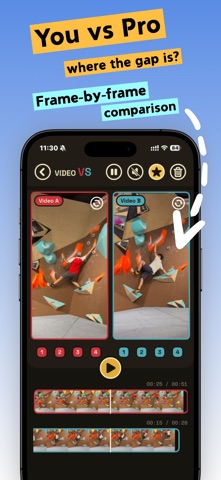
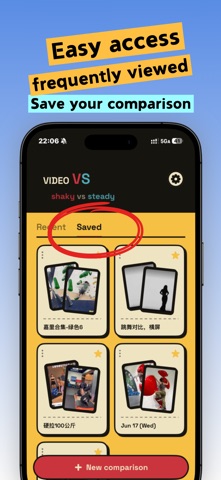
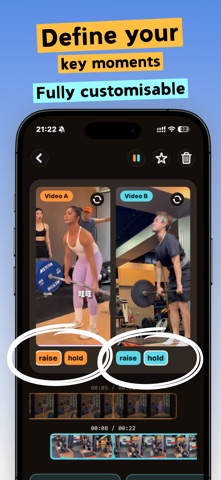
Put two clips side by side on one screen so you can study every move, frame by frame. What you can compare: • My move VS the coach's • Last time VS this time • Beta 1 VS Beta 2 • Day 1 VS now • Version A VS version B • Before VS after • Light weight VS heavy Record yourself, grab a reference, and compare the two on one screen — no more jumping back and forth between videos in your camera roll trying to catch the right frame. How video VS helps: • Both moves on one screen. Your clip and the reference, side by side or stacked. • Scrub frame by frame. A CapCut-style filmstrip under each clip with a fixed playhead — drag through time, pinch to zoom from the full clip down to a single second for the exact frame. • Zoom into the detail. Get in close on a foothold, a grip, a hand or hip position — tap to go full screen. • Line up the same move. Drop key moments on each clip (up to 10) and tap a number to jump both videos to the matching action instantly. • Pick up where you left off. Every comparison saves automatically; favorite the ones you study most. Climbing, bouldering, swimming, running, tennis, weightlifting, skating, golf — anywhere the same move shows up twice. compare your move, then improve
What's new · 1.4
- Generate and share animations from your "AI Skeleton" (give it a try!) - Generate an "AI Skeleton" on its own (the entry point is now much easier to find!) - Fixed a few usability issues Try it with your recent interesting clips!
Details