

Desandar
Paul DeSalvo · Lifestyle
Independent analytics for this App Store listing. AppTracker is not affiliated with Paul DeSalvo.
Chart standing · US
What changed · US
Listing changes AppTracker has observed for this app in this storefront — new versions, price moves, rating shifts, and store copy.
Start an entry from a template. A template gives a new entry its title, a few prompts with hints underneath, and its journal and tags. Write under the prompts you want; the ones you skip are removed when you're done. Desandar comes with a few starters, and you can make your own from the Journal menu or Settings. Pin one to the Today card to start it in one tap. You can also apply a template to an entry you've already started, adding its prompts below your writing or replacing it, and undo that if you change your mind. Shortcuts can start an entry from a template too, and on the Mac it's Journal → New Entry from Template. The map is faster with large journals. Nearby entries share one marker that splits apart as you zoom in, so the map stays readable whether you've written in one city or forty. Traveling with Pin and Plot? Choose Send to Desandar when you export a day of your trip, and it opens here as a journal entry. Desandar has a new app icon, made for Liquid Glass. Everything is still worked out privately, on your device.
Screenshots




About
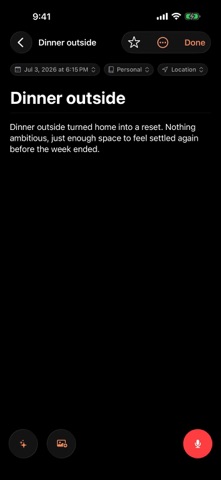
Write privately. Rediscover your past. Desandar brings text and audio journaling together with on-device tools to explore your memories, notice recurring themes, and reflect on your life. Desandar is a Spanish verb meaning to retrace your steps—to return to the path you have taken and see it from a new perspective. I created Desandar after more than six years of journaling. I had accumulated hundreds of entries, but they had become difficult to meaningfully revisit. I could search for a particular word or scroll through old writing, but I could not easily see the themes that kept returning, understand how I had changed, or reconnect with the people and moments I had written about along the way. Desandar is built to make your journal something you can interact with—not simply a place to write and forget. Using Apple’s latest on-device intelligence tools, you can search, reflect, and chat with your journal without sending your entries to an outside AI provider. The processing happens privately on your device, and Desandar has no developer-operated servers storing or analyzing your journal. Sometimes writing is a way to put something down and move forward. But there are also experiences you will want to remember, patterns you may want to understand, and parts of yourself that only become visible with time. Desandar helps you return to those moments without requiring you to reread years of raw journal entries. Write naturally with text or audio, organize entries with journals and tags, and add photos, places, weather, and moments from your day. When you are ready to look back, Desandar helps you explore the history you have created. Use Reflect to ask questions across your journal, rediscover experiences you may have forgotten, notice recurring themes, revisit memories of the people in your life, and see how your perspective has changed over time. Reflect draws on your journal entries and lets you revisit its sources. With Desandar, you can: • Write or record journal entries • Start entries from templates with your own prompts • Transcribe audio privately on your device • Clean up and organize your writing • Search by meaning, not only exact words • Chat with your journal through Reflect • Explore recurring themes and experiences • Rediscover related entries and past memories • Revisit the people, places, and moments in your life • Create daily, weekly, and monthly recaps • Organize entries with journals, tags, places, and favorites • Import your existing entries from Day One • Export your journal whenever you choose • Protect access with Face ID or your device passcode Guided Entry requires a supported device with Apple Intelligence enabled. Core journaling remains available without Apple Intelligence. Your journal belongs to you. Desandar does not use third-party AI, third-party transcription, or a custom cloud backend. Your entries are not uploaded to Desandar servers, because there are no Desandar servers. Reflect conversations, semantic search, and private intelligence remain on your device. You may choose to sync your journal through your own private iCloud account so it remains available across your Apple devices. Journaling should be more than writing something down and losing it in an archive. Desandar helps you return to the path you have taken, understand where you have been, and recognize who you are becoming.
What's new · 1.4
Start an entry from a template. A template gives a new entry its title, a few prompts with hints underneath, and its journal and tags. Write under the prompts you want; the ones you skip are removed when you're done. Desandar comes with a few starters, and you can make your own from the Journal menu or Settings. Pin one to the Today card to start it in one tap. You can also apply a template to an entry you've already started, adding its prompts below your writing or replacing it, and undo that if you change your mind. Shortcuts can start an entry from a template too, and on the Mac it's Journal → New Entry from Template. The map is faster with large journals. Nearby entries share one marker that splits apart as you zoom in, so the map stays readable whether you've written in one city or forty. Traveling with Pin and Plot? Choose Send to Desandar when you export a day of your trip, and it opens here as a journal entry. Desandar has a new app icon, made for Liquid Glass. Everything is still worked out privately, on your device.
Details