

TextVoice: Text to Speech
培 李 · Productivity
Independent analytics for this App Store listing. AppTracker is not affiliated with 培 李.
Chart standing · US
What changed · US
Listing changes AppTracker has observed for this app in this storefront — new versions, price moves, rating shifts, and store copy.
Read along in comfort: you can now make the text bigger while TextVoice reads to you. Especially handy on iPad. NEW • Text size for the reading view, with four sizes from Standard to Largest • A text size button in the toolbar of both the reading view and the audio player, so you can change it without stopping playback • Reading Text Size in the app's Settings › General sets it for both IMPROVED • The audio player now offers the same four sizes, and they build on your device's text size setting, so larger system text makes them larger still Speech is still generated entirely on your device. No account, nothing uploaded.
In-app purchases · US
What this app sells inside itself, grouped by kind and priced for this storefront.
Screenshots


About
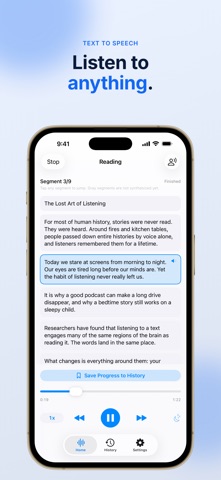
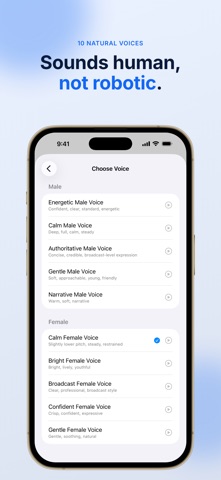
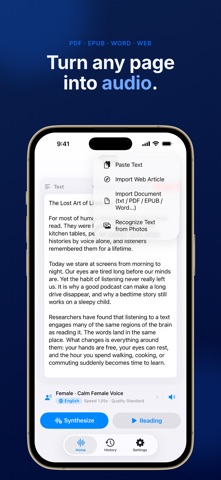
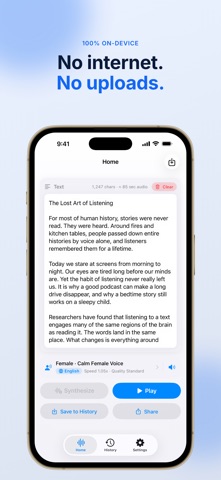
Listen to anything. TextVoice turns text, PDFs, ebooks, web pages, and even photos into natural, lifelike speech — right on your device, even offline. No accounts. No uploads. Your text never leaves your iPhone. WHY TEXTVOICE • Natural, expressive voices that sound human — not robotic • Works 100% offline. No network required, ever • Private by design: text is processed on-device and never uploaded • 32 languages with multiple male and female voices TURN ANYTHING INTO SPEECH • Type or paste any text and hear it instantly • Import PDF, Word, EPUB, and TXT documents • Read web articles — paste a link and listen to the story • Snap a photo or pick from your library, and TextVoice reads the text (OCR) • Continuous reading across long documents, chapter by chapter LISTEN YOUR WAY • Choose from a range of voices — warm, bright, calm, energetic, broadcast • Adjust speed and quality to your taste • Sleep timer: stop after a set time, the current segment, or the whole piece • Resume right where you left off • Export audio as M4A or WAV to keep or share SAVE & SYNC • Save anything you make to your History • Sync history across your devices with iCloud • Audio is regenerated on each device — only text and settings sync, never your files GREAT FOR • Turning long articles and PDFs into hands-free audio • Studying, proofreading, and catching typos by ear • Readers who prefer listening, including support for dyslexia • Commutes, workouts, chores, and resting your eyes TEXTVOICE PRO Upgrade to Pro for unlimited synthesis, continuous reading, and unlimited saved history. Available as a yearly or monthly subscription, or a one-time Lifetime purchase. • Payment is charged to your Apple ID at confirmation of purchase. • Subscriptions renew automatically unless canceled at least 24 hours before the end of the current period. • Manage or cancel anytime in your device Settings. Terms of Use (EULA): https://www.apple.com/legal/internet-services/itunes/dev/stdeula/ Privacy Policy and Terms of Use are also available in the app. RESPONSIBLE USE TextVoice creates AI-generated speech. Please use it responsibly: don't clone others' voices without consent, generate misinformation, or use it for unlawful purposes. Disclose AI-generated audio when sharing it publicly. Download TextVoice and turn everything you read into something you can listen to.
What's new · 1.8
Read along in comfort: you can now make the text bigger while TextVoice reads to you. Especially handy on iPad. NEW • Text size for the reading view, with four sizes from Standard to Largest • A text size button in the toolbar of both the reading view and the audio player, so you can change it without stopping playback • Reading Text Size in the app's Settings › General sets it for both IMPROVED • The audio player now offers the same four sizes, and they build on your device's text size setting, so larger system text makes them larger still Speech is still generated entirely on your device. No account, nothing uploaded.
Details