

Camera Roll Cleaner - PicBop
Bruce Rosier · Utilities
Independent analytics for this App Store listing. AppTracker is not affiliated with Bruce Rosier.
Chart standing · US
What changed · US
Listing changes AppTracker has observed for this app in this storefront — new versions, price moves, rating shifts, and store copy.
What's new in 3.2: • PicBop is free again — no more forced subscription wall after setup • 100 free swipes a day, every cleanup mode included • One free Cleanup a month, any category you pick • Clean up to a year of your photo history for free Plus small fixes and polish throughout.
In-app purchases · US
What this app sells inside itself, grouped by kind and priced for this storefront.
Screenshots



About
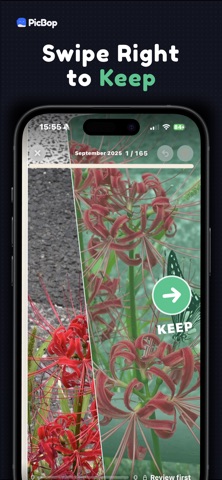
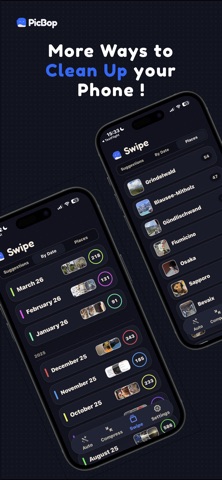
Your camera roll is full. PicBop makes photo cleanup fast, safe and satisfying — two ways. Swipe through photos, screenshots and videos one card at a time: → Swipe right to keep ← Swipe left to mark for delete Or skip the swiping: Auto finds exact duplicates, similar shots, screenshots, screen recordings, big videos and oversized files for you — review the picks, no cards needed. A swipe never deletes anything by itself. After each cleanup session, you review every selected item in a grid, remove anything you want to keep, then confirm the final batch. Why PicBop? • Fast swipe-based photo cleanup, or automatic duplicate and similar-photo detection • Clean screenshots, videos, duplicates and old camera roll clutter • Review before delete: nothing is removed from a swipe alone • On-device privacy: no cloud, no account, no photo uploads • Undo mistakes and preview photos or videos before deciding • Missions for screenshots, screen recordings, big videos, large files and memory lane sessions • PicBop Pro: 7-day free trial, then $9.99/year, auto-renews, cancel anytime PicBop works with your Photos library on your iPhone. Your photos are not uploaded to PicBop servers. There is no account to create and no social sharing. When you confirm deletion, iOS moves selected items to the Photos app's Recently Deleted album, where they may be recoverable for a limited time. Swipe or auto-clean, review, confirm, done. Terms of Use (EULA): https://www.apple.com/legal/internet-services/itunes/dev/stdeula/
What's new · 3.2
What's new in 3.2: • PicBop is free again — no more forced subscription wall after setup • 100 free swipes a day, every cleanup mode included • One free Cleanup a month, any category you pick • Clean up to a year of your photo history for free Plus small fixes and polish throughout.
Details