

Luma - Offline Music Player
Merlin Kreuzkam · Music
Independent analytics for this App Store listing. AppTracker is not affiliated with Merlin Kreuzkam.
Chart standing · US
What changed · US
Listing changes AppTracker has observed for this app in this storefront — new versions, price moves, rating shifts, and store copy.
What's New in 1.3 • Volume levelling: all songs now play at the same loudness, no matter how loud the file is. On by default, can be turned off in Settings. • Synced lyrics: if a song has lyrics in its file, a Lyrics button appears in the player. Timestamped lyrics (LRC) follow the music line by line – tap a line to jump there. • Better import: songs no longer show up with random letters and numbers as their title (existing ones are repaired automatically). Large imports are more reliable, can be cancelled, and show exactly which files failed. • New ways to import: share or open audio files from other apps directly in Luma, or drag and drop them. • Change covers: set your own cover for any album or song. • Confirmations: a short message confirms when something was added to the queue or a playlist. • Press and hold: albums, playlists, artists and songs now show their options menu on a long press. • Artist pages show albums as a gallery. • More to customise: square or rounded covers, the swipe gesture for the queue, and the order of pinned playlists on the home screen. • Queue and shuffle behave more predictably: tapping a song plays the list in order, Shuffle mixes it. • Noticeably smoother: faster lists, instant play/pause, no more stutter when changing songs. • Search: tap anywhere outside the field to dismiss the keyboard. Your library, playlists and likes stay exactly as they are.
Ratings breakdown · US
The star breakdown behind this app's rating in this storefront.
In-app purchases · US
No in-app purchases.
Screenshots


About
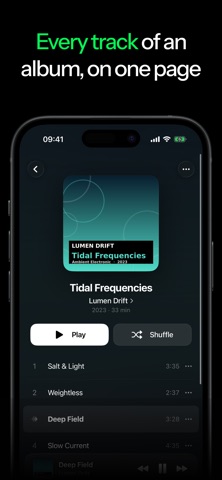
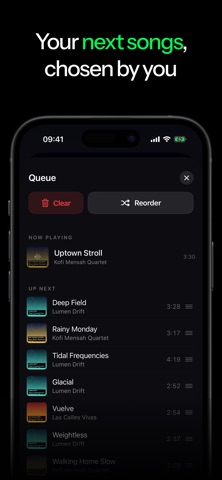
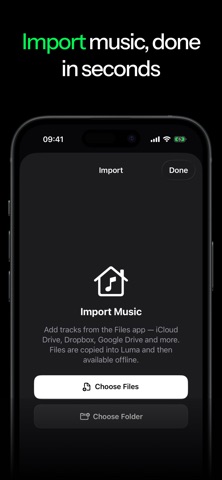
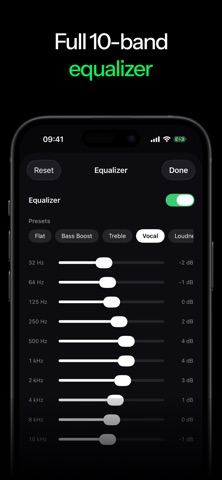
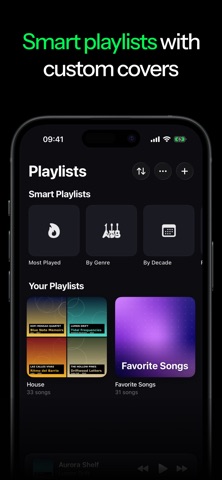
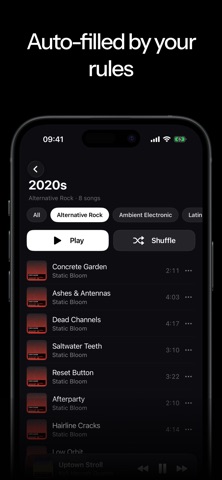
Luma is a music player for your local collection on iPhone and iPad. No account, no internet connection, no subscription required. Just import your music files from the Files app and Luma organizes everything by artist and album automatically. FLAC, ALAC, MP3, AAC, and WAV all play natively without any quality loss. Playback continues in the background and can be controlled from the Control Center, via Siri, or with your AirPods. What else Luma does: - Browse your library by albums, artists, and songs - Create and manage playlists - Freely arrange and reorder your playback queue - Like songs and find them again instantly - Listening stats with total time, top songs, and favorite artists Luma collects no data and sends nothing to any server. What's on your device stays there.
What's new · 1.3
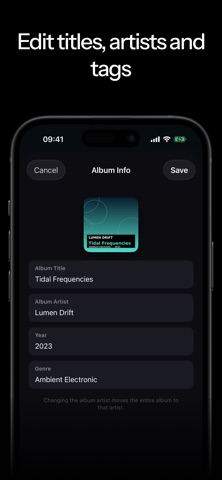
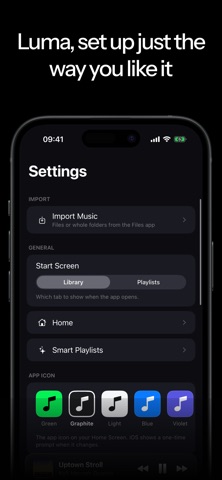
What's New in 1.3 • Volume levelling: all songs now play at the same loudness, no matter how loud the file is. On by default, can be turned off in Settings. • Synced lyrics: if a song has lyrics in its file, a Lyrics button appears in the player. Timestamped lyrics (LRC) follow the music line by line – tap a line to jump there. • Better import: songs no longer show up with random letters and numbers as their title (existing ones are repaired automatically). Large imports are more reliable, can be cancelled, and show exactly which files failed. • New ways to import: share or open audio files from other apps directly in Luma, or drag and drop them. • Change covers: set your own cover for any album or song. • Confirmations: a short message confirms when something was added to the queue or a playlist. • Press and hold: albums, playlists, artists and songs now show their options menu on a long press. • Artist pages show albums as a gallery. • More to customise: square or rounded covers, the swipe gesture for the queue, and the order of pinned playlists on the home screen. • Queue and shuffle behave more predictably: tapping a song plays the list in order, Shuffle mixes it. • Noticeably smoother: faster lists, instant play/pause, no more stutter when changing songs. • Search: tap anywhere outside the field to dismiss the keyboard. Your library, playlists and likes stay exactly as they are.
Details