

Realform
MICHAEL DOUGLAS PAULEY · Graphics & Design
Independent analytics for this App Store listing. AppTracker is not affiliated with MICHAEL DOUGLAS PAULEY.
Chart standing · US
What changed · US
Listing changes AppTracker has observed for this app in this storefront — new versions, price moves, rating shifts, and store copy.
Ratings breakdown · US
The star breakdown behind this app's rating in this storefront.
In-app purchases · US
What this app sells inside itself, grouped by kind and priced for this storefront.
Screenshots



About
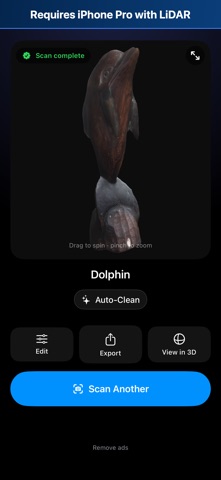
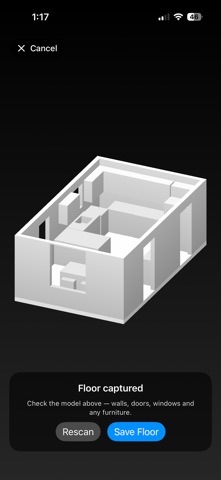
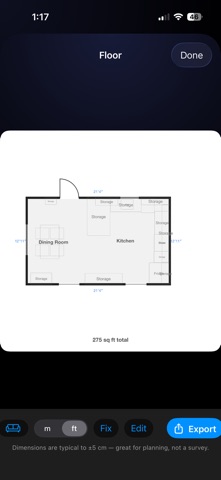
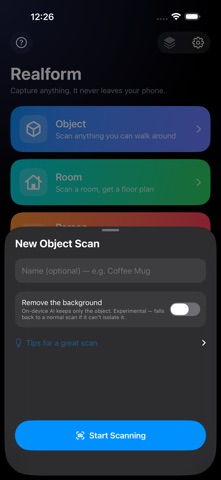
Pro-quality 3D scanning — free to use, completely private. Realform turns your iPhone into a pocket 3D scanner. Walk around an object, sweep a room, or capture a person, and get a real, shareable 3D model in minutes. Your scans are processed on your device — no account, no cloud, and your scans are never uploaded. WHAT YOU CAN SCAN • Objects — circle anything you can walk around for a clean, textured 3D model. • Rooms — sweep the walls and get an automatic floor plan with real dimensions, doors, windows, and furniture. • Whole buildings — scan room by room in one walkthrough and merge them into a single floor plan. • People — capture a full-body statue, a bust, a hand, or any body part. Great for AR and 3D printing. EXPORT — 3D PRINTING IS FREE Every format is generated on your phone: • USDZ — Apple AR & Quick Look — free • STL — 3D printing, in millimeters — free • 3MF — 3D printing: PrusaSlicer, Bambu Studio, Orca, Cura — free • Floor plans as PNG — free REALFORM PRO — ONE-TIME PURCHASE, NO SUBSCRIPTION • OBJ — the universal classic, opens everywhere • GLB — game engines & Blender (Unity, Unreal, Godot, web) • PLY — scanning & research tools • Floor plans as PDF, SVG, and DXF (AutoCAD / CAD) • No ads, ever Not ready to buy? Watch a short ad to unlock a single Pro export. A REAL EDITOR, BUILT IN Tidy up your scan right on your phone: crop, trim, and cut away what you don't want, fill holes, blend, paint over rough spots, and measure real-world distances. A watertight check tells you when a model is ready to 3D print. Every edit is saved as a new version, so your original is always safe. PRIVATE BY DESIGN Your scans and photos never leave your iPhone — no accounts, no cloud. The app sends only a few anonymous usage counters (like which export formats get used) to help us improve it; they contain nothing from your scans and nothing that identifies you. HONEST ABOUT THE LIMITS Realform uses Apple's on-device LiDAR and photogrammetry. Scans, dimensions, and floor plans are excellent estimates for planning and creative work — but not survey-, engineering-, or medical-grade. Shiny, transparent, and very dark surfaces are hard to scan; the built-in tips help you get the best results. Realform requires an iPhone Pro or iPad Pro with LiDAR. Free to use, with ads. Realform Pro — a one-time purchase, never a subscription — removes ads and unlocks the professional export formats. Scanning, editing, measuring, and 3D-print export stay free for everyone. Requires an iPhone or iPad Pro with a LiDAR Scanner: iPhone 12 Pro or later Pro models, or iPad Pro (2020 or later). Object and person scanning on iPad needs an iPad Pro with M1 or later. Realform's 3D capture uses Apple's Object Capture and RoomPlan, which need the LiDAR sensor.
What's new · 1.2.1
• Fixes an App Store issue that kept Realform from installing on iPad Pro. Room scans work on any iPad Pro with LiDAR (2020 and later); object and person scans need an iPad Pro with M1 or later. Thanks for scanning with Realform.
Details