

PDF to DWG CAD Converter
MTTenterprise Inc. · Productivity
Independent analytics for this App Store listing. AppTracker is not affiliated with MTTenterprise Inc.
Chart standing · US
What changed · US
Listing changes AppTracker has observed for this app in this storefront — new versions, price moves, rating shifts, and store copy.
Convert PDF, SVG and scanned plans to DWG, DXF, DGN or CNC. Inspect vector previews and work comfortably on iPhone and iPad.
In-app purchases · US
What this app sells inside itself, grouped by kind and priced for this storefront.
Screenshots


About
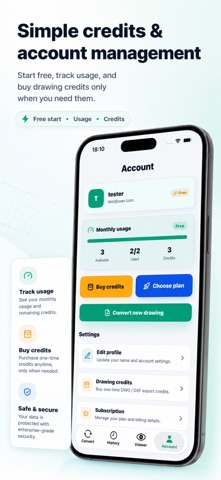
Convert blueprint PDFs and scanned architectural drawings into editable DWG or DXF CAD files for AutoCAD and drafting workflows. PDF to DWG CAD Converter helps architects, engineers, contractors, surveyors, designers, and drafters turn floor plans, construction drawings, site plans, and blueprint images into CAD-ready exports. Upload vector PDFs, scanned PDFs, PNG, JPG, or TIFF drawing files, choose DWG or DXF output, then download files for AutoCAD, BricsCAD, DraftSight, LibreCAD, and similar CAD software. Features: - PDF to DWG and PDF to DXF conversion - Scan, PNG, JPG, and TIFF drawing upload - Blueprint, floor plan, and construction drawing support - CAD preview before download - Conversion history for signed-in users - Drawing credits and plans for higher-volume CAD conversion Use it when you need a simple mobile workflow for blueprint to CAD, scanned plan conversion, or turning drawing PDFs into editable CAD files: upload, convert, preview, and download. Optional auto-renewable plans are available for monthly drawing capacity. Subscription details, included limits, renewal pricing, and restore purchase options are shown before purchase. Terms of Use: https://pdftocadconverter.com/terms Privacy Policy: https://pdftocadconverter.com/privacy
What's new · 1.1.3
Convert PDF, SVG and scanned plans to DWG, DXF, DGN or CNC. Inspect vector previews and work comfortably on iPhone and iPad.
Details