

Haneda Approach 3D
Naoki Chiba · Games
Independent analytics for this App Store listing. AppTracker is not affiliated with Naoki Chiba.
Chart standing · US
What changed · US
Listing changes AppTracker has observed for this app in this storefront — new versions, price moves, rating shifts, and store copy.
- Added an illustrated six-stage landing roadmap. Achieve each goal to unlock the next lesson. - Added a guided controls tour with left and right rudder inputs. Observe each response and check the instruments before advancing automatically. - Autoland Demo now shows control positions as a guide. - Added Approach Coach, post-flight analysis, lesson achievements and result history. - Improved the iPhone layout for instruments, map, controls and results. - Flight sounds now use media volume even when the silent switch is on.
Screenshots


About
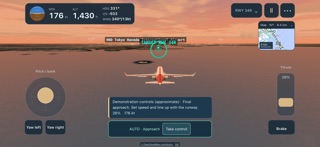
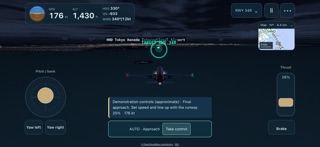
Practise landing at Tokyo Haneda, one approach at a time. Fly with touch controls over Tokyo Bay and the city skyline in this 3D flight simulator. LANDING PRACTICE - Guided controls tour: follow the arrows to practise reducing and restoring thrust, banking and levelling, pitch, left and right rudder inputs, and braking. Observe the aircraft's response and check the highlighted instruments before the tour advances automatically - An illustrated lesson roadmap: progress from basic landing to centreline, soft touchdown, crosswind, a wide-body at night and a jumbo. Achieve each goal to unlock the next lesson and repeat completed lessons - Approach Coach: useful cues for speed, alignment, attitude, flare and braking, with an option to hide them - Post-flight analysis: review flight-path and altitude plots, touchdown sink rate, centreline offset, approach stability and a tip for your next attempt - Lesson achievements and the latest 12 results saved on your device FLY HANEDA - Eight approaches plus free flight. Preview the starting view and map before flying - Free Autoland Demo from approach to touchdown and a full stop, with visible control positions as a guide and manual takeover available. Assisted flights do not earn scores or lesson achievements - Five aircraft sizes: turboprop, regional jet, narrow-body, wide-body twin and jumbo, with different approach speeds, handling and stopping distances - Haneda's four runways, terminals, parked aircraft, Tokyo Bay and the Tokyo and Yokohama skyline - Morning, day, sunset and night, adjustable crosswind, clouds, runway lighting and PAPI - Aerial imagery from the Geospatial Information Authority of Japan and an optional live aircraft layer from OpenSky Network - Livery presets and individual aircraft colours TOUCH CONTROLS Fly with the stick on the left and thrust lever on the right. Instruments and a mini map show your speed, altitude and position relative to the runway. Flaps, landing gear and speed brakes operate automatically. Available in English, Japanese and Simplified Chinese. The 34R Tokyo Bay long approach is a fictional training route. This game simplifies flight dynamics and procedures for play.
What's new · 1.7.0
- Added an illustrated six-stage landing roadmap. Achieve each goal to unlock the next lesson. - Added a guided controls tour with left and right rudder inputs. Observe each response and check the instruments before advancing automatically. - Autoland Demo now shows control positions as a guide. - Added Approach Coach, post-flight analysis, lesson achievements and result history. - Improved the iPhone layout for instruments, map, controls and results. - Flight sounds now use media volume even when the silent switch is on.
Details