

DeferDeck
Yasuko Shikiuchi · Utilities
Independent analytics for this App Store listing. AppTracker is not affiliated with Yasuko Shikiuchi.
Chart standing · US
What changed · US
Listing changes AppTracker has observed for this app in this storefront — new versions, price moves, rating shifts, and store copy.
- Changed the display name of "Random" in the postponement menu to "Random for one week (within 7 days)", "Random for 1 month (8-30 days)", and "Random for half a year (after 31 days-after half a year)" to make the period clearer.
In-app purchases · US
No in-app purchases.
Screenshots



About
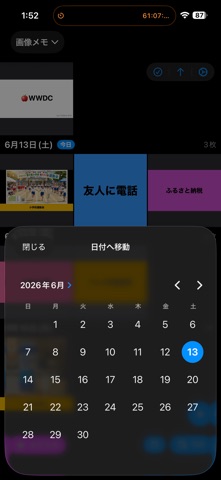
Organizing your photos has never been easier. DeferDeck lays out your Photo Library albums in clean, date-by-date sections—your "deck"—so you can organize, browse, and even defer photos to the future, all in one simple place. **What you can do** Clear out screenshots in bulk Select all those piled-up screenshots at once and delete them in a tap. Align several photos to the same date or move them into other albums together—no more one-by-one. Got a photo to send a friend? Share & Delete shares it and tidies up in a single step. Turn images into reminders A sale flyer, a school-event pamphlet, a concert announcement—just set a photo's date to the day it matters, and it'll quietly catch your eye every time you open Photos. Anything you'd rather handle later? Defer it to tomorrow, next Saturday, next month, a specific time of day, or even a random future date. Deferred by mistake? Undo it right after, straight from the toast. Build daily routines Add a photo to Routine and its date rolls forward to today automatically, every day—perfect for a medication note, a stretching routine, or anything you want in front of you daily. Check or remove routine photos anytime from Quick Access. Copy text from screenshots A Wi-Fi password, an order number, a URL—copy any text you spot in a screenshot straight from the detail view, no retyping required. Create images with text Tap the + button and choose Create Memo to turn a note into a photo. Add a label and it's automatically filed into a matching album, so it's easy to find later. Relive your memories Open an album from a trip or a special day, choose a date, and jump straight to that day's photos. The moments you're looking for, right at your fingertips. **Key features** - Albums shown in date-by-date sections - One-tap jump to any date - Bulk select, delete, and add to albums - Share & Delete—share and organize at once - Batch-change or defer photo dates, with time-of-day and random options - Undo a postpone right after you make it - Routine photos roll forward to today automatically - Copy text from screenshots in one tap - Create text images, auto-filed by label
What's new · 1.0.21
- Changed the display name of "Random" in the postponement menu to "Random for one week (within 7 days)", "Random for 1 month (8-30 days)", and "Random for half a year (after 31 days-after half a year)" to make the period clearer.
Details