

ASAPDF: PDF Editor, Sign, Fill
Bravely Studios LLC · Productivity
Independent analytics for this App Store listing. AppTracker is not affiliated with Bravely Studios LLC.
Chart standing · US
What changed · US
Listing changes AppTracker has observed for this app in this storefront — new versions, price moves, rating shifts, and store copy.
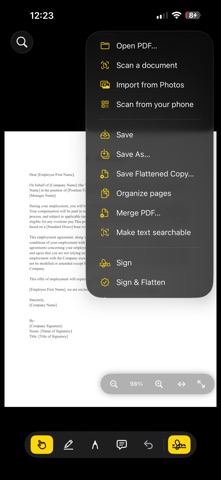
Scanning and searchable text • Saving a new scan now waits until its text is searchable, however you save it, so nothing is saved half done • Make text searchable now recognizes a scanned page even when it looked like it already had text, and never adds a second copy of text a page already has • Large or complex pages no longer slow the app down when text recognition starts Opening files from other apps • A PDF you open from another app while a scan is being made searchable now opens after you save the scan, instead of being dropped • A file you decided not to open no longer comes back later or replaces another document Plus stability improvements
Screenshots



About
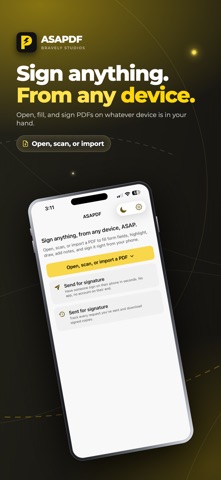
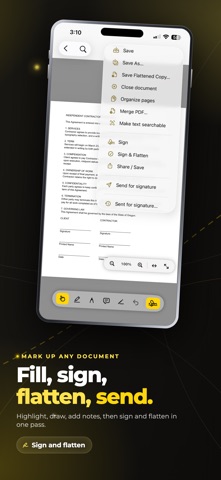
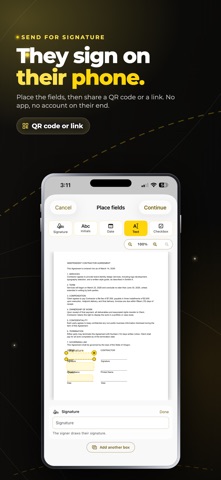
Sign anything, from any device, ASAP. ASAPDF opens, fills, and signs PDFs right on the device in your hand, and when you need someone else to sign, you hand them the document with a QR code or an emailed link. No app for them to install, no account for them to create. One sign-in covers every platform you own. WHAT YOU CAN DO • Open any PDF and read it full-screen on iPhone or iPad • Fill form fields, add text, and annotate pages • Sign with Apple Pencil on iPad — tap a field and the page zooms to a comfortable writing scale, with pressure and palm rejection • Sign with your finger on iPhone when a Pencil isn't around • Save a signature once and drop it onto any future document in two taps • Send for signature: a recipient scans a QR code or taps an email link and signs in their browser • Keep your documents and signature library in sync across your devices MAGIC SIGNING This is the part that makes ASAPDF different. Turn your iPad toward a person standing next to you, they scan the on-screen QR code with their camera, and they sign in their own browser — no install, no account. Need a signature from someone across town? Email them a link instead. Each request comes back to you with a completion record, so you know exactly when and how it was signed. SIGN HOWEVER FITS THE MOMENT Apple Pencil on iPad for the precise, pressure-aware signature. A finger on iPhone when you're standing in line. A QR code when the other person is in the room. An email link when they're not. ASAPDF treats each of these as a real signing flow, not a fallback. PRIVATE AND CLEAN Require Face ID or Touch ID before a saved signature is applied, so a signature is only ever placed by you. Your finished documents are clean — there is no free tier to upsell from, so nothing gets watermarked. EVERYTHING INCLUDED There is no free-versus-paid maze and nothing locked behind a higher tier. Editing, filling, signing your own documents, and sending for signature to others are all part of the app, on every device you use it on. PRICING Start with a 7-day free trial, then subscribe monthly. You can also go annual or pick up Lifetime as a one-time purchase. Sign-in is free; using the app requires a subscription. Cancel anytime. SIGN IN Sign in with Apple, Google, or email. The same sign-in carries to ASAPDF on your other devices and the web. SUPPORT Questions, bug reports, and feature requests: support@bravely.dev Privacy: https://bravely.dev/privacy/asapdf Terms: https://bravely.dev/terms
What's new · 0.15.7
Scanning and searchable text • Saving a new scan now waits until its text is searchable, however you save it, so nothing is saved half done • Make text searchable now recognizes a scanned page even when it looked like it already had text, and never adds a second copy of text a page already has • Large or complex pages no longer slow the app down when text recognition starts Opening files from other apps • A PDF you open from another app while a scan is being made searchable now opens after you save the scan, instead of being dropped • A file you decided not to open no longer comes back later or replaces another document Plus stability improvements
Details