

Auris Hi-Fi
LUIGI DI MAURO · Music
Independent analytics for this App Store listing. AppTracker is not affiliated with LUIGI DI MAURO.
Chart standing · US
What changed · US
Listing changes AppTracker has observed for this app in this storefront — new versions, price moves, rating shifts, and store copy.
• On iPad in light mode, the graph, preset chips and Crossfeed row stand out from the page again. • Removed a redundant title above the Crossfeed screen on iPad. Thank you for using Auris!
Price & rating history · US
Reconstructed from the listing changes AppTracker has observed in this storefront. A field is charted once it has changed more than once, and each line starts at the value it moved from.
Average rating · ★ 4.33 now · 4 changes on record
Ratings breakdown · US
The star breakdown behind this app's rating in this storefront.
Screenshots




About
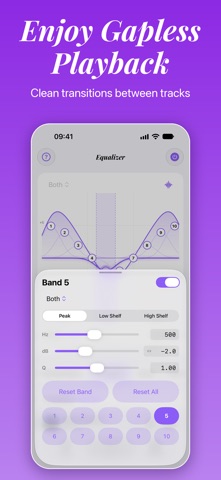
Auris plays the music you already have on iPhone and iPad. Add single tracks or whole folders, organize them into albums and playlists, and leave the files where they are: Auris reads them from their original location, without copying them into the app. What Auris does • Gapless playback: tracks flow into each other without pauses, with queue, shuffle and repeat. • Library: albums, artists, genres, favorites and playlists, built from each file's tags. • Import: single files or whole folders. A folder becomes an album (grouped by tags) or a playlist (in filename order). • Now Playing: artwork, audio format details (codec, sample rate, bit depth, bitrate) and controls in one place. • Parametric equalizer with 5 to 15 bands. Adjust frequency, gain and Q directly on the curve. • Left and right ears: set the EQ separately for each ear, with the other ear's curve shown on the same graph. • Spectrum: show the output spectrum, or compare before and after the EQ. • Import EQ files from AutoEQ, squig.link, Peace / Equalizer APO and Wavelet GraphicEQ. Each file becomes a preset. • Balance: in Settings, lower the louder side by up to 6 dB. • Crossfeed for headphones: optional, it blends a small part of each channel into the other for a more speaker-like listening experience. • EQ presets sync with iCloud. Before you start • Auris is not a streaming service: it plays only the files you add to your device. • Files stay where they are. Removing a track from Auris does not delete the file. If you move or delete the file elsewhere, that track can no longer be played. • EQ, Balance and Crossfeed change the sound. Use EQ Bypass to hear the original at any time. • Crossfeed is designed for headphones: with speakers, leave it off.
What's new · 2.0.2
• On iPad in light mode, the graph, preset chips and Crossfeed row stand out from the page again. • Removed a redundant title above the Crossfeed screen on iPad. Thank you for using Auris!
Details