

Revive: Restore Old Photos AI
Nikolai Tsyrenov · Photo & Video
Independent analytics for this App Store listing. AppTracker is not affiliated with Nikolai Tsyrenov.
Chart standing · US
What changed · US
Listing changes AppTracker has observed for this app in this storefront — new versions, price moves, rating shifts, and store copy.
• Try it first: the app now opens straight into the free version — Pro is there when you want more • A short welcome tour on first launch • Stability improvements
Screenshots







About
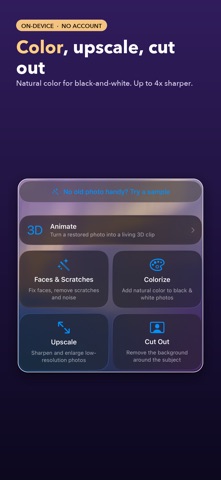
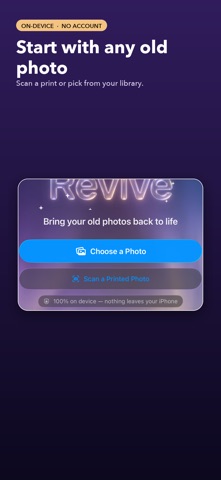
It's still your grandmother. When a chatbot "restores" an old photo, it paints a new one — someone who looks like your relative, but isn't. Revive works differently: it repairs the original pixels instead of generating new ones. WHY REVIVE IS DIFFERENT • Faces are repaired, never redrawn — the likeness is preserved • Color is added to the original: the structure never changes by a pixel • Scratches and creases are healed only where they actually are • 100% on-device: your photos never leave your iPhone WHAT IT DOES • Restore — remove noise, dust, scratches and creases, repair faces • Colorize — natural color for black-and-white photos (or vivid, your choice) • Upscale — up to 4× without losing sharpness • Magic Eraser — paint over a stain or an object and it's gone • Animate — a living 3D parallax clip from a single photo • Print scanner — a straightened capture of a paper photo with the camera • Color hints — tap to make the dress green and the sky blue • Before/after slider, full-resolution export PRIVACY BY CONSTRUCTION, NOT BY PROMISE Every neural network runs directly on your iPhone. Revive doesn't upload photos, works offline, and cannot train on your pictures — it never has them. START WITH A FREE TRIAL Revive Pro removes the limits and the watermark: weekly, yearly, or lifetime — the lifetime purchase never renews. Bring your family archive back to life — faithfully and privately. NEW IN 2.0 • Batch Restore — fix a whole album at once (Pro) • Library — every restoration saved right in the app • 3D Animate — four camera moves, longer clips, 9:16, Live Photo export • Cut Out — lift the subject from the background • Tap-to-select eraser Revive Pro: a yearly subscription, a weekly subscription with a 3-day free trial, or a one-time lifetime unlock. Subscriptions renew automatically unless cancelled at least 24 hours before the end of the current period; manage or cancel them in Settings. Terms of Use (EULA): https://www.apple.com/legal/internet-services/itunes/dev/stdeula/ Privacy Policy: https://revive-legal.pages.dev/privacy
What's new · 2.4
• Try it first: the app now opens straight into the free version — Pro is there when you want more • A short welcome tour on first launch • Stability improvements
Details