

ClipKit: Video Compressor
Marian Yakubets · Photo & Video
Independent analytics for this App Store listing. AppTracker is not affiliated with Marian Yakubets.
Chart standing · US
What changed · US
Listing changes AppTracker has observed for this app in this storefront — new versions, price moves, rating shifts, and store copy.
The rating link in Settings now opens the App Store review page. We also improved when ClipKit requests a review.
Ratings breakdown · US
The star breakdown behind this app's rating in this storefront.
In-app purchases · US
What this app sells inside itself, grouped by kind and priced for this storefront.
Screenshots



About
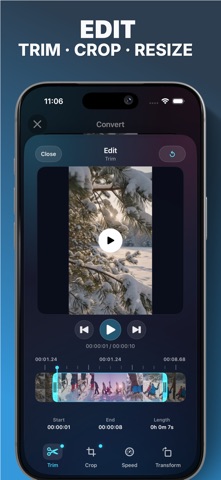
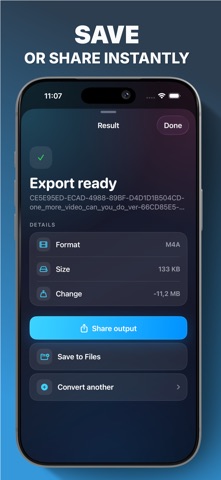
Compress videos, convert formats, and extract audio from local files with ClipKit. ClipKit is a practical media toolbox for iPhone. Import videos or audio from Files or Photos, choose the output you need, adjust resolution and frame rate, and export a share-ready file without sending your media through an upload workflow. Use ClipKit to: - Compress large videos for storage, email, or messaging. - Convert video formats including MP4, MOV, M4V, MKV, AVI, WebM, WMV, FLV, MPEG, 3GP, and GIF. - Turn short clips into GIFs for Messages, WhatsApp, and chats. - Extract audio to MP3, M4A, AAC, WAV, AIFF, FLAC, or OGG. - Trim, crop, adjust speed, and rotate clips before export. - Save exports to Files or share them from the result screen. - Export platform-ready MP4 video for TikTok, Instagram Reels, YouTube Shorts, or YouTube. - Confirm the 9:16 frame in Crop before a vertical export. Export MP4 and MOV videos to a chosen file-size limit. Compare your original and exported video with playback and actual file sizes. ClipKit keeps the workflow simple: import, tune the result, export, and share. Upgrade once to ClipKit Pro for unlimited exports and advanced tools. No subscription. Terms of Use: https://yakuapps.com/clipkit/terms-of-service/
What's new · 1.3.1
The rating link in Settings now opens the App Store review page. We also improved when ClipKit requests a review.
Details