

Floatimer
Yuya Takamoto · Utilities
Independent analytics for this App Store listing. AppTracker is not affiliated with Yuya Takamoto.
Chart standing · US
What changed · US
Listing changes AppTracker has observed for this app in this storefront — new versions, price moves, rating shifts, and store copy.
Fixed pausing and resuming after a countdown ends, and corrected overtime calculation when updates are delayed.
Screenshots



About
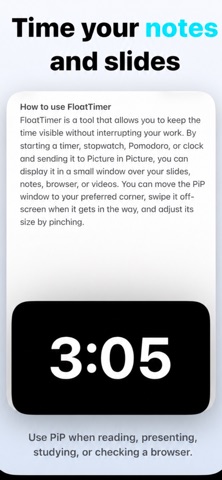
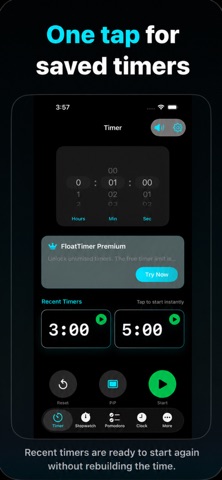
Floatimer is a minimal Picture in Picture timer designed to stay visible while you use other apps. Whether you are studying, working, presenting, watching videos, browsing, or tracking a task, Floatimer helps you keep time in view without switching back and forth between apps. MAIN FEATURES • Floating Picture in Picture timer Keep your timer visible above other apps with a clean floating PiP window. • Timer Set hours, minutes, and seconds with a simple picker. Start, pause, reset, and launch PiP quickly. • Stopwatch Track elapsed time with a clean digital counter and lap support. • Pomodoro Stay focused with a 25-minute focus timer, break sessions, and progress tracking. • Floating clock Show the current time in a floating PiP window while using other apps. • Clean cyber-minimal design Pure black interface, neon cyan text, green action buttons, and a focused layout made for readability. WHY FLOATIMER? Normal timers disappear when you open another app. Floatimer is built for people who want time to stay visible while multitasking. Use Floatimer for: • Study sessions • Work sprints • Presentations • Online lessons • Workouts • Cooking • Video watching • Browser-based tasks • Pomodoro focus sessions • Any task where time should stay on screen FREE VERSION The free version includes access to timer, stopwatch, Pomodoro, and clock features with usage limits. FLOATIMER PREMIUM Unlock the full experience with Floatimer Premium: • Longer timer sessions • Longer stopwatch sessions • More Pomodoro sessions • Full floating timer experience • Premium productivity workflow Subscription options may include monthly and yearly plans. A lifetime unlock may also be available. Payment will be charged to your Apple ID account at confirmation of purchase. Subscriptions automatically renew unless canceled at least 24 hours before the end of the current period. You can manage or cancel subscriptions in your App Store account settings after purchase. Terms of Use / EULA: https://www.apple.com/legal/internet-services/itunes/dev/stdeula/
What's new · 1.0.1
Fixed pausing and resuming after a countdown ends, and corrected overtime calculation when updates are delayed.
Details