

Hangul Typing for Beginners
Jung Gil Seo · Education
Independent analytics for this App Store listing. AppTracker is not affiliated with Jung Gil Seo.
Chart standing · US
What changed · US
Listing changes AppTracker has observed for this app in this storefront — new versions, price moves, rating shifts, and store copy.
A lighter build. · Smaller app size, so it opens a little faster · Updated under the hood for the latest devices · Fixed a few small issues One letter at a time. You've got this!
Price & rating history · US
Reconstructed from the listing changes AppTracker has observed in this storefront. A field is charted once it has changed more than once, and each line starts at the value it moved from.
Average rating · ★ 4.79 now · 16 changes on record
Ratings breakdown · US
The star breakdown behind this app's rating in this storefront.
In-app purchases · US
What this app sells inside itself, grouped by kind and priced for this storefront.
Screenshots



About
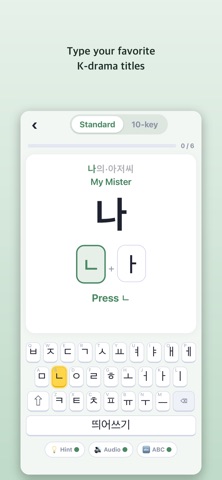
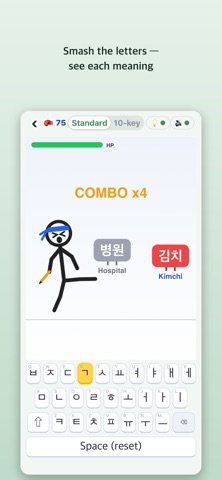
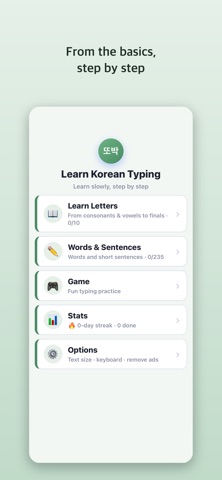
The easiest way to learn Korean (Hangul) typing — built for absolute beginners and seniors. Whether you've never touched a Korean keyboard or you type slowly, this app helps you learn one letter at a time, at your own pace. ■ Perfect for · Korean learners starting with the keyboard · Seniors who find phone typing difficult · Anyone learning the Cheonjiin or Dubeolsik layout · People who prefer large, clear text ■ New: Hangul First Steps Never written Hangul before? Tap any of the 24 letters and watch it drawn stroke by stroke, in the right order. Each letter shows its name (giyeok, nieun), how many strokes it takes, the sound it makes at the start and end of a syllable, and an example word — and the letter is read aloud as it is drawn. ■ New: TOPIK basic vocabulary 48 essential words in 12 short lessons — verbs, adjectives, time and place. The words you meet first when you start learning Korean. ■ Key features · Big text — comfortable, easy-to-read letters · Key highlight guide — the next key to press lights up in yellow · Two layouts — practice both Dubeolsik and Cheonjiin · Step by step — from consonants, vowels and final letters to words and sentences · Rich content — everyday words, proverbs, quotes, song lyrics, K-drama titles and more · Hear it — listen to letters and words read aloud · Typing game — build speed while having fun · Accurate input — a built-in keyboard means letters never break apart ■ See how every word reads Not sure how a word sounds? Every word shows its romanization (romaja) right below — 엄마 reads "eomma", 안녕 reads "annyeong". Built on the Revised Romanization rules, including the sound changes that trip up learners. ■ Numbers & symbols keyboard Phone numbers, prices, dates and times — the parts of Korean you actually type every day. Numbers are read the Korean way, so 9시 is "ahop si", not "nine si". ■ Practice the keys you miss The app remembers which letters you get wrong and builds a short drill from just those. ■ Why you'll like it · No memorizing — just follow the on-screen guide · Mistakes are fine — repeat slowly until it feels natural · Practice offline — no connection needed to type Start today, one letter at a time.
What's new · 1.1.1
A lighter build. · Smaller app size, so it opens a little faster · Updated under the hood for the latest devices · Fixed a few small issues One letter at a time. You've got this!
Details