

SynthBridge MIDI Synth
啟东 徐 · Music
Independent analytics for this App Store listing. AppTracker is not affiliated with 啟东 徐.
Chart standing · US
What changed · US
Listing changes AppTracker has observed for this app in this storefront — new versions, price moves, rating shifts, and store copy.
Feature updates: - Learn MIDI mappings by moving knobs, faders or buttons. - Added in-app walkthroughs, update history and offline help. Improvements: - Keep recording previews playing between list and detail views; improved controls and landscape/tablet layouts. - Scene loading explains actual setup changes. Bug fixes: - Loading a scene from recording details now returns to the stage.
Ratings breakdown · US
The star breakdown behind this app's rating in this storefront.
In-app purchases · US
What this app sells inside itself, grouped by kind and priced for this storefront.
Screenshots



About
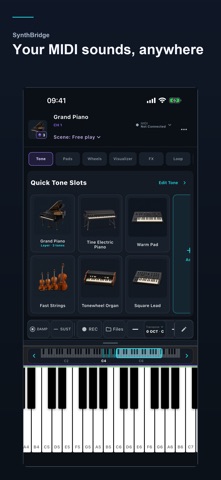
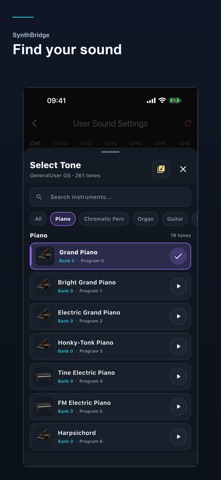
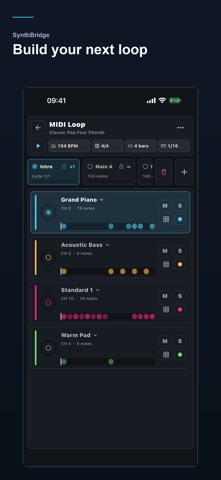
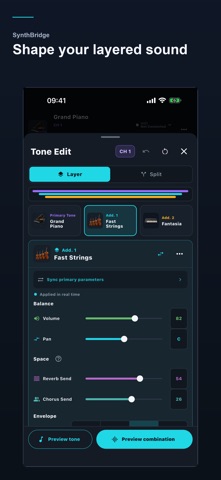
Connect your MIDI keyboard, choose a sound, and play. SynthBridge turns your phone or tablet into a portable sound module and practice workspace. You can also start with the on-screen piano and drum pads. Your sounds: use the built-in library or import SF2/SF3 SoundFonts. Layer sounds and adjust their balance, effects and keyboard ranges. Your keyboard: connect compatible USB MIDI or Bluetooth MIDI devices. Control supported parameters with MIDI CC messages. Your practice: play MIDI files, follow the note visualization, and combine a metronome, loops and Style accompaniment. Your ideas: record MIDI performances, keep named drafts, preview takes and export MIDI files. MIDI files can also be converted to WAV or AAC audio. Your setup: save performance scenes and return to your sounds and playing settings. Use portrait or landscape layouts on phones and tablets. Some features and resources require in-app purchases. iOS or iPadOS 15.0 or later. USB and Bluetooth MIDI require compatible devices and accessories. https://synth.64bit.us/privacy.html https://synth.64bit.us/terms.html
What's new · 2.3.0
Feature updates: - Learn MIDI mappings by moving knobs, faders or buttons. - Added in-app walkthroughs, update history and offline help. Improvements: - Keep recording previews playing between list and detail views; improved controls and landscape/tablet layouts. - Scene loading explains actual setup changes. Bug fixes: - Loading a scene from recording details now returns to the stage.
Details