
Chart standing · US
What changed · US
Listing changes AppTracker has observed for this app in this storefront — new versions, price moves, rating shifts, and store copy.
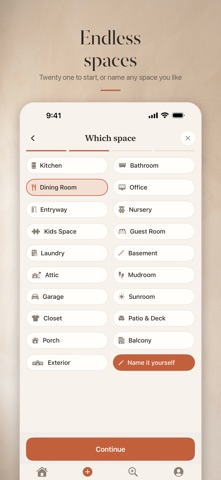
You can walk away while we work. Tap Keep browsing while a space is designing and we will send you a notification the moment it is ready. Tap the notification and you land straight on that space. Home now shows you which spaces are still being designed. Refine keeps your work. We removed Quick restyle from the reveal screen. It quietly started over from your original photo, which threw away every change you had already made. Refine is now the one place to change a design, with one tap options for brightness, warmth, furniture and more, plus anything you want to type or say. A cleaner way to look at a design. Full screen photo, a before and after you can flip between, and Refine, Save and Share in a single row. Save now genuinely saves the image to your Photos. Try it before you use your own photo. Tap any example space in Create to design a real one. You can also name your spaces whatever you like.
Ratings breakdown · US
The star breakdown behind this app's rating in this storefront.
Screenshots



About
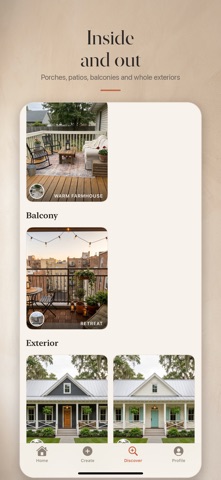
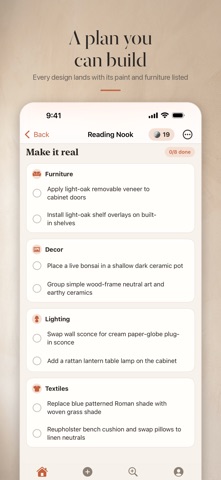
"It doesn't rearrange structures like some of the other AI apps, so I can truly see what my rooms will look like." That one is from a real App Store review, and it is the whole idea. Snap a photo of any room and watch AI redesign it in about a minute, keeping your actual walls, windows, doorways, and layout exactly where they are. No fake rooms. No invented spaces. Your home, reimagined, still unmistakably yours. Every design comes with a Make-It-Real checklist (paint colors, furniture swaps, exact search terms), a personal AI designer to talk it through with, and a before/after reveal video you'll want to share. Renting? Rental Refresh mode redesigns without paint, holes, or anything a landlord would notice. Try it free for 7 days. --- Same four walls. A whole new room. Recasa redesigns any room from a single photo, and unlike other AI design apps, it keeps YOUR actual room. Your walls, your windows, your layout. Just a beautiful new style. HOW IT WORKS 1. Photograph a room 2. Pick a style, Japandi, Industrial, Coastal, Farmhouse, Scandinavian and more 3. In about 30 seconds, see your room transformed 4. Slide between before and after, tap to view fullscreen, save or share MAKE IT REAL Every design comes with a practical checklist, paint tones, furniture swaps, lighting ideas, so you can actually create the look, not just admire it. RENTAL REFRESH Renting? Flip one switch and Recasa restyles with furniture, textiles and decor only, no renovation, nothing your landlord would mind. SHARE THE REVEAL Turn any design into a 15-second before/after reveal video, ready for TikTok, Reels, or the family group chat. YOUR WHOLE HOME Set up every room and redesign them one by one, Recasa keeps your designs and checklists organized per room. PRIVATE BY DESIGN No account required, no email, no tracking. Your photos are used only to create your designs, and you can delete everything anytime. CREDITS Your first designs are free. Need more? Buy a pack (credits never expire) or subscribe monthly. Failed designs are refunded automatically. Recasa, fall back in love with your place. SUBSCRIPTION Recasa Monthly is an auto-renewable subscription, 40 design credits each month for $9.99 USD. Payment is charged to your Apple ID at purchase and renews automatically unless cancelled at least 24 hours before the end of the current period. Manage or cancel anytime in your Apple ID account settings. Terms of Use (EULA): https://recasa.slateworks.io/terms Privacy Policy: https://recasa.slateworks.io/privacy
What's new · 1.0.11
You can walk away while we work. Tap Keep browsing while a space is designing and we will send you a notification the moment it is ready. Tap the notification and you land straight on that space. Home now shows you which spaces are still being designed. Refine keeps your work. We removed Quick restyle from the reveal screen. It quietly started over from your original photo, which threw away every change you had already made. Refine is now the one place to change a design, with one tap options for brightness, warmth, furniture and more, plus anything you want to type or say. A cleaner way to look at a design. Full screen photo, a before and after you can flip between, and Refine, Save and Share in a single row. Save now genuinely saves the image to your Photos. Try it before you use your own photo. Tap any example space in Create to design a real one. You can also name your spaces whatever you like.
Details