

Free Roku Remote .
TERMUX LIMITED LIABILITY COMPANY · Utilities
Independent analytics for this App Store listing. AppTracker is not affiliated with TERMUX LIMITED LIABILITY COMPANY.
Chart standing · US
What changed · US
Listing changes AppTracker has observed for this app in this storefront — new versions, price moves, rating shifts, and store copy.
What’s New: - Improved device discovery for faster and more reliable scanning - Enhanced overall app performance and user experience - Fixed unexpected crashes on iOS 26 - Various bug fixes and stability improvements
Price & rating history · US
Reconstructed from the listing changes AppTracker has observed in this storefront. A field is charted once it has changed more than once, and each line starts at the value it moved from.
Average rating · ★ 4.74 now · 43 changes on record
Ratings breakdown · US
The star breakdown behind this app's rating in this storefront.
In-app purchases · US
No in-app purchases.
Screenshots



About
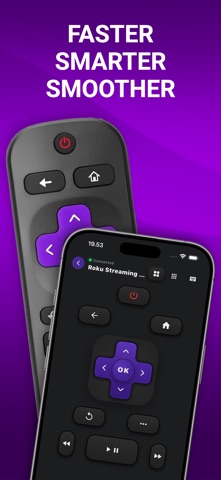
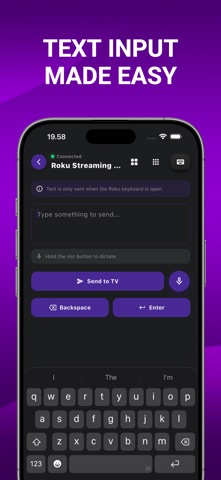
This FREE Roku Remote helps you control your Roku TV directly from your phone with a simple, fast, and easy-to-use remote experience. No need to search for the physical remote. Open the app, connect to your Roku device, and start controlling your TV instantly. Use your phone to navigate menus, control playback, adjust volume, go back, return home, and interact with your Roku TV in a familiar remote layout. Key Features Control your Roku TV from your phone Simple remote layout with easy navigation Fast device discovery on the same Wi-Fi network D-pad control for menu navigation Playback buttons for play, pause, rewind, and fast forward Home, back, power, and option controls Clean dark interface designed for comfortable use Quick connection to nearby Roku devices Whether your remote is lost, out of battery, or just across the room, Roku Remote gives you a convenient way to control your TV anytime. How it works Make sure your phone and Roku device are connected to the same Wi-Fi network. Open the app, scan for available Roku devices, select your TV, and start controlling it right away.
What's new · 1.2.2
What’s New: - Improved device discovery for faster and more reliable scanning - Enhanced overall app performance and user experience - Fixed unexpected crashes on iOS 26 - Various bug fixes and stability improvements
Details