

Whoo.wtf: Personal CRM
ittailors.cz, s.r.o. · Business
Independent analytics for this App Store listing. AppTracker is not affiliated with ittailors.cz, s.r.o.
Chart standing · US
What changed · US
Listing changes AppTracker has observed for this app in this storefront — new versions, price moves, rating shifts, and store copy.
This update fixes a crash that could occur when deleting a contact. In case you missed them, these arrived in the previous update: • Create an event cover with Image Playground. On an iPhone with Apple Intelligence, tap the cover while creating or editing an event and choose “Generate Cover”. • Tick off follow-ups straight from Home. Every reminder now has a done circle, and a long press lets you postpone it or add a note. • Every completed reminder is now recorded on the person’s timeline — with your note, or the reminder’s title.
Screenshots




About
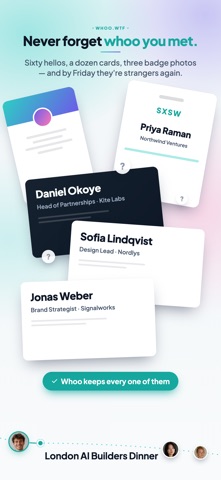
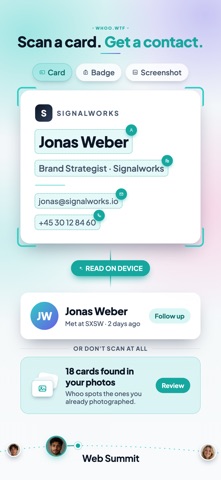
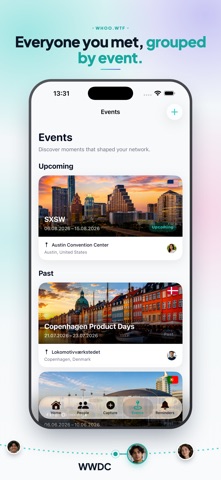
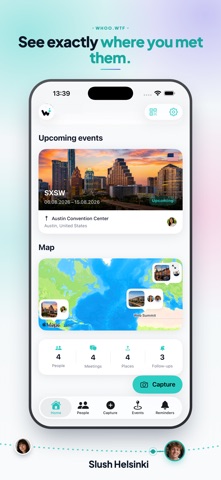
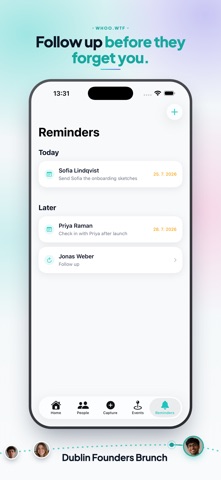
Whoo.wtf — because that’s exactly what you say a week after the conference. You met twenty people. You have eleven business cards, three badge photos and a LinkedIn screenshot. Whoo turns them into people you actually remember: who they are, where you met, and what you promised to do next. CAPTURE IN SECONDS • Business cards — text, QR codes and vCards, with a photo of the card kept on the profile. Several cards in one shot? Whoo splits them. • Conference badges — name, company, role, and even the event • LinkedIn profiles, from a screenshot or a link • Pick the event as you scan, and the contact joins its attendee list • Whoo spots cards and badges in your photo library and suggests them, so nobody slips through REMEMBER WHO THEY ARE • With Apple Intelligence, a profile carries a short summary of what you talked about, what they’re working on and what you agreed — written on your iPhone, from your own notes • For everyone, see where and when you met — on a timeline and on a map • Events and meetings: log a coffee in seconds, keep a trip’s meetings under one event, and browse it all in a calendar • Labels like Partner or Investor to sort and filter people • Notes you can type or dictate, even while you scan ACTUALLY FOLLOW UP • One tap to plan the next step — follow up, email, call, coffee, intro — with a reminder • Call, message or email straight from a profile. Whoo links people already in your iPhone contacts, and asks first when it isn’t sure • Export an event as a PDF report, or its contacts as an Excel or CSV list YOUR OWN CARD • A digital business card to share as an image or contact file. No more “sorry, I ran out of cards.” PRIVATE BY DESIGN • Cards, badges, faces and text are read on your device, and the Apple Intelligence summary is written there too • No account and no Whoo servers. Your data is yours, with full export and backup • Whoo Pro keeps your devices in sync through your own iCloud FREE TO START Use Whoo free for up to 10 people, 3 events, 10 meetings and 10 open reminders. Whoo Pro removes the limits and adds card themes and iCloud sync — monthly, yearly or a one-time purchase. Whoo is for anyone who meets more people than they can remember. Which is everyone. Privacy Policy: https://whoo.wtf/privacy Terms of Use: https://www.apple.com/legal/internet-services/itunes/dev/stdeula/
What's new · 1.0.3
This update fixes a crash that could occur when deleting a contact. In case you missed them, these arrived in the previous update: • Create an event cover with Image Playground. On an iPhone with Apple Intelligence, tap the cover while creating or editing an event and choose “Generate Cover”. • Tick off follow-ups straight from Home. Every reminder now has a done circle, and a long press lets you postpone it or add a note. • Every completed reminder is now recorded on the person’s timeline — with your note, or the reminder’s title.
Details