

ScribblePad: Notes & PDF
Sagar Seth · Productivity
Independent analytics for this App Store listing. AppTracker is not affiliated with Sagar Seth.
Chart standing · US
What changed · US
Listing changes AppTracker has observed for this app in this storefront — new versions, price moves, rating shifts, and store copy.
Fixed an issue where black ink could appear white while the device was using Dark Mode.
Ratings breakdown · US
The star breakdown behind this app's rating in this storefront.
In-app purchases · US
No in-app purchases.
Screenshots



About
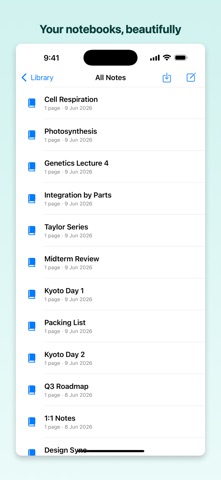
The free, private note app for iPhone, iPad & Mac. No subscription, no account, no tracking — just fast handwriting, PDF markup, and backup to YOUR own cloud. Write naturally with Apple Pencil, organize notes into colorful subjects, and keep everything synced to your own Google Drive or iCloud. Nothing lives on our servers — your notes stay yours. WRITING & TOOLS • Smooth, low-latency ink (PencilKit) — pen, pencil, highlighter, eraser, lasso • Pinch to zoom, palm rejection, and ruler • Add text boxes, shapes, images, and stickers on top of your ink ORGANIZE • Subjects → notebooks → pages, drag to reorder • Templates: blank, ruled, grid, dotted + your own custom pages • Search your handwriting instantly with on-device OCR PDF & IMPORT/EXPORT • Import and annotate PDFs • Export as PDF, PNG, or the native .scribble format • Share notes with other ScribblePad users AUDIO • Record audio synced to your strokes — replay your notes in time PRIVATE BACKUP & SYNC (OPTIONAL) • Back up to your own Google Drive (the app only sees files it creates) or iCloud • Works fully offline — the cloud is yours, not ours No sign-up. No ads. No data collection. Just a beautiful place to think.
What's new · 1.2.3
Fixed an issue where black ink could appear white while the device was using Dark Mode.
Details