

ZenMinder
IdealistSpace Inc · Productivity
Independent analytics for this App Store listing. AppTracker is not affiliated with IdealistSpace Inc.
Chart standing · US
What changed · US
Listing changes AppTracker has observed for this app in this storefront — new versions, price moves, rating shifts, and store copy.
The app icon now matches your system appearance. Improved • A light app icon appears in Light Mode, and the dark icon stays in Dark Mode. • The contribution grid in the icon reads as one clean surface. Fixed • The icon no longer shows its dark version while your Mac or iPhone is in Light Mode. • Empty squares in the icon grid are visible again instead of blending into the background.
In-app purchases · US
No in-app purchases.
Screenshots

About
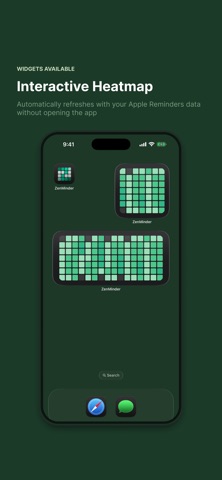
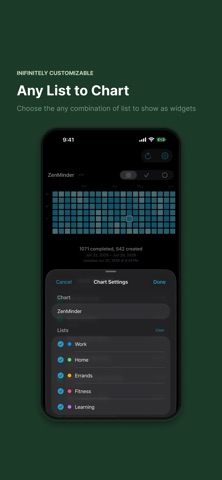
Checked something off in Reminders — and then it was gone? ZenMinder gives you that sense of accomplishment back. ZenMinder is a companion to Apple Reminders for iPhone and Mac. It reads your reminder history and turns completed tasks into a GitHub-style contribution graph. SEE YOUR PROGRESS • Heatmap of completed reminders, day by day • Tap any day to browse what you finished • Filter by completed, created, or all reminders • Color intensity shows how productive each day was • Choose a color theme that fits your style IPHONE & MAC • Full iPhone app with home screen widgets • Mac menu bar app — always one click away • Works with the Reminders lists you already use Stop losing your wins when you check things off. With ZenMinder, every completed reminder leaves a mark.
What's new · 1.0.2
The app icon now matches your system appearance. Improved • A light app icon appears in Light Mode, and the dark icon stays in Dark Mode. • The contribution grid in the icon reads as one clean surface. Fixed • The icon no longer shows its dark version while your Mac or iPhone is in Light Mode. • Empty squares in the icon grid are visible again instead of blending into the background.
Details