

University Notes
Foodmenu.world Inc. · Education
Independent analytics for this App Store listing. AppTracker is not affiliated with Foodmenu.world Inc.
Chart standing · US
What changed · US
Listing changes AppTracker has observed for this app in this storefront — new versions, price moves, rating shifts, and store copy.
Study notes for iPad & Mac! Improved handwriting and keyboard input in notes! We hope this university note-taking app helps make studying a little easier!
Price & rating history · US
Reconstructed from the listing changes AppTracker has observed in this storefront. A field is charted once it has changed more than once, and each line starts at the value it moved from.
Price · Free now · 2 changes on record
Average rating · ★ 4.58 now · 17 changes on record
Ratings breakdown · US
The star breakdown behind this app's rating in this storefront.
Screenshots



About
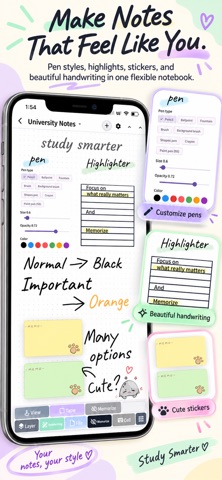
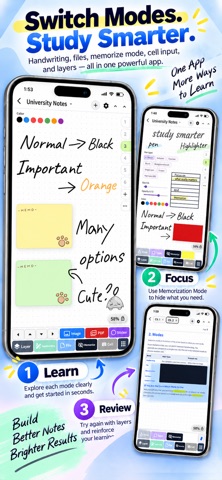
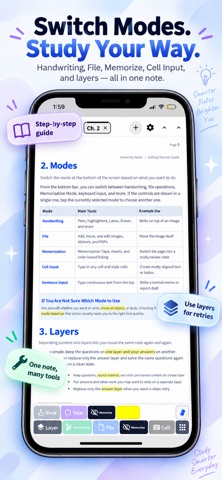
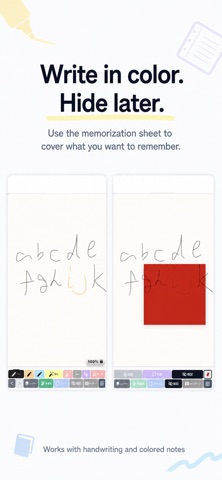
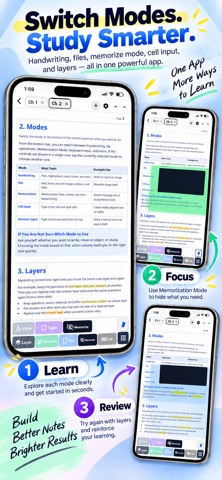
Handwritten notes for studying, active recall, and exam prep Turn the notes you already take into study material you can actually use. Write by hand or type, organize class and lecture notes, annotate PDFs, build study guides, hide key information, and test yourself before quizzes, midterms, finals, entrance exams, and professional certification exams. Use your own notes for active recall, review, and exam preparation instead of simply storing information. □ 4 ways to study with your own notes 1. Memorize key information with colors Write important words, definitions, formulas, dates, or vocabulary in orange, blue, or other colors using handwriting or keyboard text. Place the Memorization Sheet over your notes to hide the answers. Try to recall the information first, then reveal it to check yourself. Long-press the icon to change the sheet color. 2. Hide highlighted sections for active recall Highlight important sentences, diagrams, anatomy charts, or sections of PDF textbooks and lecture materials. In Memorization Mode, choose which highlighter colors are hidden. For example, use yellow for regular emphasis and red for material you want to memorize. 3. Keep questions and answers on separate layers Write questions, answers, and explanations on different layers. Hide the answer layer, test yourself, rewrite your response, and practice the same digital worksheet again. 4. Cover answers with digital tape Use the Tape tool in Memorization Mode to cover definitions, formulas, vocabulary, answers, or sections of PDFs without changing your original note colors. Tap a tape strip to reveal just that answer, or use the Memorization Sheet to cover several areas at once. □ Review faster with the floating Memorization Sheet Instead of revealing highlighted areas one by one, drag the floating Memorization Sheet over your notes. Only the area beneath the sheet is hidden, making it useful for tables, lecture PDFs, study guides, vocabulary lists, diagrams, and exam materials. □ Practical note-taking tools ・Handwriting and keyboard input ・Multiple pens and highlighters ・Tabs for switching between notebooks ・Ruler, compass, and shapes ・Stickers, sticky notes, and comments ・Detailed eraser settings, including deleting only highlighter marks ・Categories, folders, and subfolders ・Chapters for separating lessons or topics □ Write directly on PDFs Annotate PDFs with handwriting or keyboard text. If a PDF does not leave enough room for notes, extend the right side of the page to create extra space for annotations, solutions, explanations, or review notes. □ Use handwriting and typing together Write by hand or select where you want to type and enter text directly without creating a text box first. □ Keep your notes organized Sort notes with categories, folders, and subfolders, and add chapters inside a notebook to separate lessons, topics, or units. □ Notebook templates Choose from built-in templates including blank paper, ruled paper, grid paper, and handwritten To-Do pages. You can also reuse layouts you create for study sheets, daily reports, professional logs, or exam review pages. □ Recommended for ・High school students taking notes and preparing for tests ・College students organizing class notes, lecture materials, and study guides ・Students working with PDF textbooks and course materials ・Medical, nursing, and pharmacy students ・Students preparing for entrance exams or professional certification exams ・Anyone who wants handwriting, typing, PDF annotation, and memorization tools in one digital notebook Write it down, hide what you want to remember, recall it from memory, and check your answer. Use the notes you already created for active recall, review, and exam preparation.
What's new · 1.5.6
Study notes for iPad & Mac! Improved handwriting and keyboard input in notes! We hope this university note-taking app helps make studying a little easier!
Details