

ERP Mobile by DateConta
Razvan IVAN · Business
Independent analytics for this App Store listing. AppTracker is not affiliated with Razvan IVAN.
Chart standing · US
What changed · US
Listing changes AppTracker has observed for this app in this storefront — new versions, price moves, rating shifts, and store copy.
Register (POS) • Catalog on the left, fiscal receipt on the right. Up to 4 open receipts. • In Store and On line prices, on articles and on menus. The switch on the receipt picks the price. • In Store: Cash, Card, or Cash + card. On line: Modern only (Glovo, Bolt, or Wolt). • A product or a menu with a price of 0 cannot be rung up. • Menus have a main product and secondary products. The SGR deposit is combined on one line. A percent discount does not apply to SGR. • Tax ID checked with ANAF, the client name on the receipt, and a fiscal invoice next to the receipt. PDF on 80 mm paper. • Tiles are translucent so the background logo shows through, and the catalog opens faster. • Takings since the last Z report: cash, card, Glovo, Bolt, and Wolt. Articles • Both sale prices and the minimum stock, on the tile and in the list. • Groups and categories: all of them, or only the ones you check. • New categories: Cleaning materials, Office supplies, Services, and Deposit. • A unique, required code. Stock is shown per work location. Stock • A transfer note decreases the source warehouse and increases the destination warehouse. • A production note increases the finished good and consumes the recipe. • Physical stock take by category, with sorting and PDF export. • Stock control and a reorder list when stock is below the minimum. Suppliers and e-Factura • SPV authorization by email to the accountant. The validity date is read from SPV. • Several goods receipts on the same invoice, on different warehouses. • A warning when the invoice already exists. Also • Cash register, HR (employees, payroll, timesheet, NextUp Excel), and import of scanned Z reports for Zetta. • Without internet, operations stay queued and are sent when the connection returns.
In-app purchases · US
No in-app purchases.
Screenshots

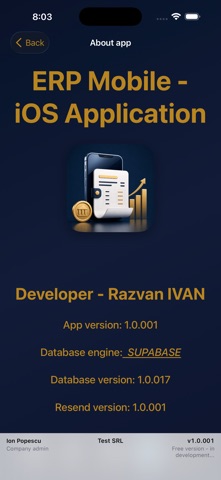


About
Smart Mobile ERP for Modern Business Manage your entire business operations anytime, anywhere. ERP Mobile brings the power of an enterprise-grade ERP system straight to your pocket, enabling real-time control, seamless collaboration, and smarter decision-making on the go. Whether you are tracking inventory, managing sales pipelines, approving financial workflows, or monitoring team performance, ERP Mobile unifies your business data into a single, intuitive mobile interface.
What's new · 1.0.280
Register (POS) • Catalog on the left, fiscal receipt on the right. Up to 4 open receipts. • In Store and On line prices, on articles and on menus. The switch on the receipt picks the price. • In Store: Cash, Card, or Cash + card. On line: Modern only (Glovo, Bolt, or Wolt). • A product or a menu with a price of 0 cannot be rung up. • Menus have a main product and secondary products. The SGR deposit is combined on one line. A percent discount does not apply to SGR. • Tax ID checked with ANAF, the client name on the receipt, and a fiscal invoice next to the receipt. PDF on 80 mm paper. • Tiles are translucent so the background logo shows through, and the catalog opens faster. • Takings since the last Z report: cash, card, Glovo, Bolt, and Wolt. Articles • Both sale prices and the minimum stock, on the tile and in the list. • Groups and categories: all of them, or only the ones you check. • New categories: Cleaning materials, Office supplies, Services, and Deposit. • A unique, required code. Stock is shown per work location. Stock • A transfer note decreases the source warehouse and increases the destination warehouse. • A production note increases the finished good and consumes the recipe. • Physical stock take by category, with sorting and PDF export. • Stock control and a reorder list when stock is below the minimum. Suppliers and e-Factura • SPV authorization by email to the accountant. The validity date is read from SPV. • Several goods receipts on the same invoice, on different warehouses. • A warning when the invoice already exists. Also • Cash register, HR (employees, payroll, timesheet, NextUp Excel), and import of scanned Z reports for Zetta. • Without internet, operations stay queued and are sent when the connection returns.
Details