

Arrow Count - Archery tracker
Matthew Gray · Sports
Independent analytics for this App Store listing. AppTracker is not affiliated with Matthew Gray.
Chart standing · US
What changed · US
Listing changes AppTracker has observed for this app in this storefront — new versions, price moves, rating shifts, and store copy.
-Added second screen with add/subtract buttons for manual adjustment (swipe up from main count screen).
Screenshots

About
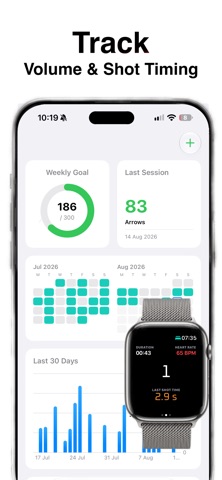
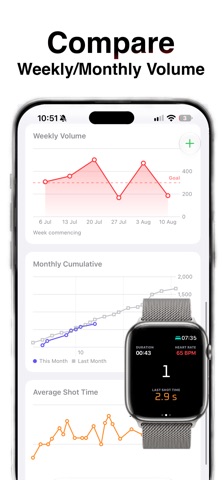
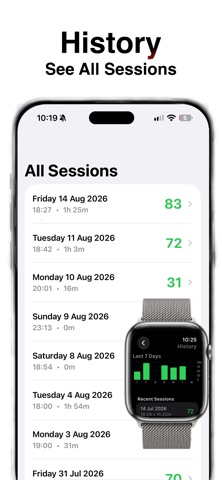
Use your Apple Watch to automatically count the number of arrows shot in a session and view recent history right on your watch. No more manual recording with a tally counter. The iPhone app lets you keep track of your training volume and compare shot timing across sessions. -Uses accelerometer data to detect and record the number of shots and the shot time (time from raise of bow arm to release) -Sessions are saved in Apple Health with heart rate and calories. -A summary of recent sessions is available to view from the watch and a full history can be viewed on the iPhone App. -Charts on the watch show the volume for the last 7 days and the activity view includes a chart of the individual shot times. -Set your weekly volume goal and track progress against it -Compare this month to last month Try before you buy! Start as many sessions as you like until you have tracked a total of 100 arrows. Upgrade to the full version for unlimited shot recording - cheaper than a tally counter and with much more functionality. One time purchase only - no subscriptions! Instructions for use --------------------- -Wear the watch on the arm you hold your bow with and set this in settings (e.g usually left arm for a right handed archer) -Start an activity. Shoot a few shots and check that it is recording arrows. -Should work with default settings but the sensitivity can be adjusted by swiping to the right in the activity. If shots are not being counted try lowering the G value on the sensitivity page. -Recent activities can be seen in the history view accessed from the button on the first page (This may take a few seconds to load on the first run). Please note: - requires watchOS 10.6 or later. - requires the arm to be raised and steady to start the shot detection. Downhill shots (e.g. on a field course) may not be registered.
What's new · 1.6
-Added second screen with add/subtract buttons for manual adjustment (swipe up from main count screen).
Details