

SignalMap WiFi
晨阳 段 · Utilities
Independent analytics for this App Store listing. AppTracker is not affiliated with 晨阳 段.
Chart standing · US
What changed · US
Listing changes AppTracker has observed for this app in this storefront — new versions, price moves, rating shifts, and store copy.
Behind-the-scenes reliability improvements. • Anonymous usage statistics are sent more reliably: one bad record can no longer hold up the rest. • Scan statistics now tell LiDAR scans and camera scans apart, so we can improve scanning on iPhones without LiDAR.
In-app purchases · US
What this app sells inside itself, grouped by kind and priced for this storefront.
Screenshots



About
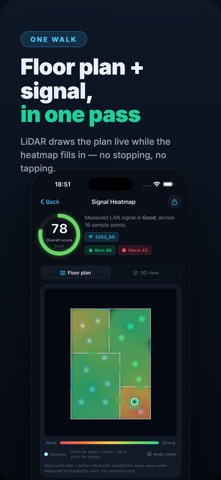
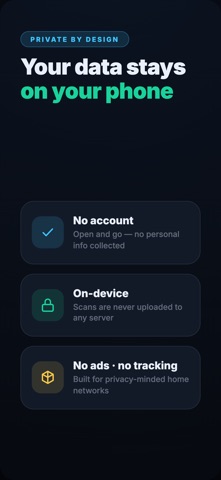
SignalMap turns a walk around your home into a clear Wi-Fi signal heatmap. Scan your room layout, collect real local-network measurements, and see where coverage is strong, weak, or unstable. SignalMap works on LiDAR devices for richer room geometry and also supports regular camera scanning on non-LiDAR iPhones and iPads. What you can do: • Build a 2D Wi-Fi heatmap from real gateway latency, jitter, packet loss and score samples • Scan floor plans with LiDAR when available, or use the camera fallback on supported devices • See weak rooms, dead zones and places where a mesh node may help • Detect multiple Wi-Fi nodes and visualize each node's territory • Check Mesh roaming quality, handoff drops and sticky-device behavior • Explore a 3D signal view and export clean PDF reports with Pro • Keep scan history on device for repeated home network checks SignalMap is designed for homes, apartments, studios, offices and small spaces where router placement matters. Walk slowly through each room, keep lighting good for camera scans, then use the map to decide where to move your router, add a mesh node, or re-test after changes. Privacy first: scans stay on device. SignalMap does not track you and does not upload your floor plan or network measurements. Terms of Use: https://hilalum.github.io/terms/signalmap/
What's new · 2026.9.28
Behind-the-scenes reliability improvements. • Anonymous usage statistics are sent more reliably: one bad record can no longer hold up the rest. • Scan statistics now tell LiDAR scans and camera scans apart, so we can improve scanning on iPhones without LiDAR.
Details