

Mind Map: Brainstorm & Notes
Gunawan Santoso · Productivity
Independent analytics for this App Store listing. AppTracker is not affiliated with Gunawan Santoso.
Chart standing · US
What changed · US
Listing changes AppTracker has observed for this app in this storefront — new versions, price moves, rating shifts, and store copy.
MindFlow Pro is here — one payment, no subscription. • Remove every ad, forever • Unlock all premium templates, themes and layouts • PDF and OPML export whenever you like Everything free stays free. Pro just skips the ad-watching. Also in this update: ads load far more reliably after a weak connection, so fewer blank spaces, and a fix for text that was hard to read on dark backgrounds.
Ratings breakdown · US
The star breakdown behind this app's rating in this storefront.
In-app purchases · US
No in-app purchases.
Screenshots



About
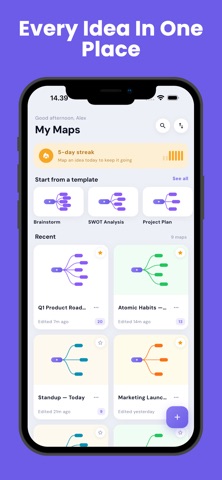
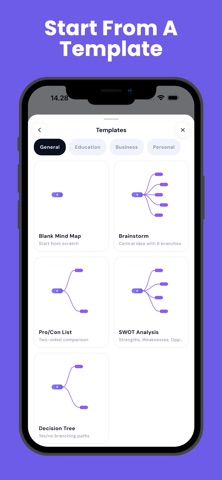
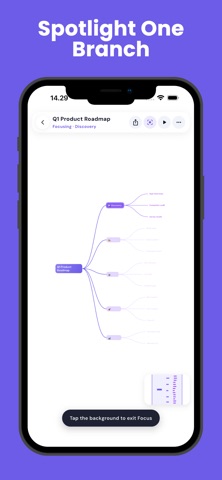
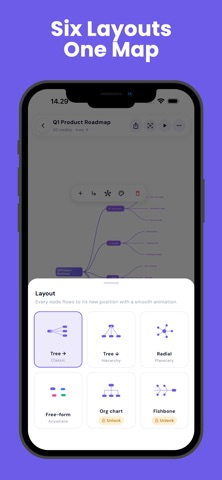
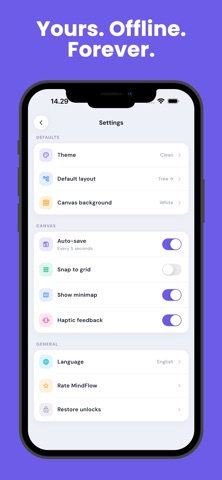
Some ideas only make sense once you can see them. MindFlow gives you an infinite canvas and gets out of the way. Type your central idea, branch it out, and watch the shape of your thinking appear. WHAT MAKES IT DIFFERENT Genuinely offline. There is no account, no sign-up, and no sync. Your maps live on your device and nowhere else — which means MindFlow works on a plane, on the subway, and in an exam hall. No subscription. The whole core app is free. Six ways to see the same idea. Free-form, radial, tree right, tree down, org chart, and fishbone. Switch and every node glides into its new arrangement — the same thoughts, a completely different perspective. Focus mode. Spotlight one branch, dim everything else, and think about one thing at a time. Present mode. Step through your map branch by branch, with zoom and highlight. Your brainstorm becomes a walkthrough without any extra work. Outline view. Every visual map is also a clean indented outline. Edit either side; both stay in sync. It is the fastest route from a messy brainstorm to a structured first draft. Fifteen templates. SWOT, decision tree, study notes, project plan, essay outline, meeting agenda, weekly planner and more — each one a real starting structure, not an empty page. Export it anywhere. PNG, PDF, plain-text outline, JSON backup, or OPML for other tools. BUILT FOR THE WAY PHONES ARE ACTUALLY HELD A canvas that stays smooth under your thumb. Large touch targets. Auto-save every five seconds, so you never think about saving. Unlimited maps. PRIVACY No account. No sign-up. No personal data collected. Your maps never leave your device. An internet connection is used only to display ads. MindFlow is for the moment when you have too many thoughts and not enough shape. Give them one.
What's new · 1.3.0
MindFlow Pro is here — one payment, no subscription. • Remove every ad, forever • Unlock all premium templates, themes and layouts • PDF and OPML export whenever you like Everything free stays free. Pro just skips the ad-watching. Also in this update: ads load far more reliably after a weak connection, so fewer blank spaces, and a fix for text that was hard to read on dark backgrounds.
Details